Download Dell Midrange Storage Solutions Design 2023.D-MSS-DS-23.PremiumDumps.2025-12-28.173q.vcex
| Vendor: | Dell |
| Exam Code: | D-MSS-DS-23 |
| Exam Name: | Dell Midrange Storage Solutions Design 2023 |
| Date: | Dec 28, 2025 |
| File Size: | 77 KB |
| Downloads: | 1 |
How to open VCEX files?
Files with VCEX extension can be opened by ProfExam Simulator.
Discount: 20%

Demo Questions
Question 1
Which network option should be configured to provide the best iSCSi performance on a Dell Unity XT array?
- Disable flow control
- Single VLAN for all traffic
- Jumbo frames
- iSCSI offload
Correct answer: C
Question 2
Which CPU family is used on a Dell Unity XT 480?
- Haswell
- Ice Lake
- Broadwell
- Skylake
Correct answer: C
Explanation:
The Dell Unity XT 480 storage system uses the Broadwell CPU family. Broadwell processors are known for their efficiency and performance, making them suitable for storage systems like the Unity XT 480 that require reliable processing power for managing storage tasks. The Dell Unity XT 480 storage system uses the Broadwell CPU family. Broadwell processors are known for their efficiency and performance, making them suitable for storage systems like the Unity XT 480 that require reliable processing power for managing storage tasks.
Question 3
Which model supports the AppsON feature?
- Unity XT
- PowerStore X
- Unity VSA
- PowerStore T
Correct answer: B
Question 4
Which option should the technical architect recommend?
- 25 GbE is not supported on Dell Unity or Dell Unity XT systems.
- The Dell Unity XT 480 supports a 25 GbE card, but the Dell Unity 550F does not support a 25 GbE card.
- All Dell Unity and Dell Unity XT systems support 25 GbE.
- The Dell Unity 550F supports a 25 GbE card, but the Dell Unity XT 480 does not support a 25 GbE card.
Correct answer: B
Question 5
What is the maximum capacity of a file system on a Dell Unity XT 380?
- 128 TB
- 32 TB
- 64 TB
- 256 TB
Correct answer: C
Question 6
What is a Dell recommendation when connecting ESXi hosts to PowerStore?
- Use the default 32k host I/O size when using VMware NFS Datastores.
- Configure a minimum of two NAS servers when using vVol Datastores.
- Configure Round Robin Multipathing with an IOPS limit of 1024.
- Disable DelayedACK when configured using iSCSI.
Correct answer: D
Explanation:
Dell recommends disabling DelayedACK when configuring ESXi hosts using iSCSI to connect to PowerStore systems. DelayedACK can cause performance degradation and connectivity issues in iSCSI environments. By disabling DelayedACK, the communication between the ESXi host and the PowerStore array becomes more efficient, leading to better performance and reliability.Reference:Dell Technologies documentation on best practices for configuring ESXi hosts with PowerStore using iSCSI.VMware KB article on DelayedACK and its effects on iSCSI performance. Dell recommends disabling DelayedACK when configuring ESXi hosts using iSCSI to connect to PowerStore systems. DelayedACK can cause performance degradation and connectivity issues in iSCSI environments. By disabling DelayedACK, the communication between the ESXi host and the PowerStore array becomes more efficient, leading to better performance and reliability.
Reference:
Dell Technologies documentation on best practices for configuring ESXi hosts with PowerStore using iSCSI.
VMware KB article on DelayedACK and its effects on iSCSI performance.
Question 7
How many fans in a Dell EMC PowerStore node can fail before it shuts down?
- 1
- 2
- 3
- 4
Correct answer: A
Explanation:
A node can tolerate a single fan module fault, and the surviving fans increase their speed to compensate for the faulted module. If two fan modules fault within the same node, the node performs a protective thermal shutdown. A protective thermal shutdown gracefully powers off the node, and any resource fails over to the surviving node Reference: https://www.delltechnologies.com/asset/en-us/products/storage/industry- market/h18149-dell-emc-powerstore-platform-introduction.pdf A node can tolerate a single fan module fault, and the surviving fans increase their speed to compensate for the faulted module. If two fan modules fault within the same node, the node performs a protective thermal shutdown. A protective thermal shutdown gracefully powers off the node, and any resource fails over to the surviving node Reference: https://www.delltechnologies.com/asset/en-us/products/storage/industry- market/h18149-dell-emc-powerstore-platform-introduction.pdf
Question 8
What are two guidelines for optimal performance when planning and sizing a Midrange storage solution? (Select 2)
- Maximize Flash Drive Capacity
- Maximize NVMe NVRAM Capacity
- Consolidate Workloads
- Design for Resilience
Correct answer: C
Explanation:
When planning and sizing a Midrange storage solution, two key guidelines for optimal performance are to consolidate workloads and design for resilience. Consolidating workloads helps in maximizing the utilization of storage resources, reducing overhead, and improving performance. Designing for resilience ensures that the storage solution can handle failures and continue to operate effectively, maintaining data availability and performance. These practices are critical for achieving reliable and efficient storage solutions. When planning and sizing a Midrange storage solution, two key guidelines for optimal performance are to consolidate workloads and design for resilience. Consolidating workloads helps in maximizing the utilization of storage resources, reducing overhead, and improving performance. Designing for resilience ensures that the storage solution can handle failures and continue to operate effectively, maintaining data availability and performance. These practices are critical for achieving reliable and efficient storage solutions.
Question 9
You are designing a two-tiered Dell EMC SC Series solution that will be optimized for performance. You gather the necessary data from Live Optics and find that the read/write ratio is 80:20.
What approach is recommended?
- Size Tier 1 for 100% of the adjusted IOPS
- Use distributed adjusted IOPS for all tiers
- Use distributed adjusted IOPS for Tiers 1 and 2 only
- Size Tier 2 for 100% of the adjusted IOPS
Correct answer: A
Explanation:
"The engineer should design a system to handle all, or nearly all, IOPS in one particular tier" "The engineer should design a system to handle all, or nearly all, IOPS in one particular tier"
Question 10
When designing a system to support Oracle OLAP Workload for a new customer with no I/O details, what are the default selections for the I/O profile input in sizer?
- Sequential Read: 70% at 8 KiB Sequential Write: 30% at 8 KiB
- Random Read: 70% at 8 KiB Random Write: 30% at 8 KiB
- Sequential Read: 80% at 8 KiB Sequential Write: 20% at 8 KiB
- Random Read: 50% at 32 KiB Random Write: 50% at 32 KiB
Correct answer: B
Explanation:
When designing a system to support an Oracle OLAP (Online Analytical Processing) Workload for a new customer without specific I/O details, the default selections for the I/O profile input in the sizer tool are typically set to "Random Read: 70% at 8 KiB, Random Write: 30% at 8 KiB." Here's a detailed explanation:* Oracle OLAP Workload Characteristics:OLAP workloads generally involve heavy read operations with a focus on retrieving and analyzing large datasets. The read operations are often random due to the nature of querying various parts of the data.* Default I/O Profile Selection:* Random Read:70% - This reflects the high read intensity typical of OLAP workloads, where data is accessed non-sequentially.* Random Write:30% - Although less frequent than reads, writes still occur randomly as new data is added or existing data is updated.* Sizer Tool Configuration:The Dell sizer tool uses these default I/O profile settings to estimate the required storage performance and capacity. This helps in designing a system that can handle the expected workload efficiently.* Performance Optimization:The chosen I/O profile ensures that the storage system is optimized for the specific access patterns of OLAP workloads, providing a balanced approach to handling both reads and writes.References:* Dell Technologies PowerStore Documentation* Dell Entry-Level and Mid-Range Storage Community* Dell Storage Products OverviewBy understanding the default I/O profile settings used by the sizer tool, system designers can ensure that the storage solution is well-suited to meet the demands of Oracle OLAP workloads. When designing a system to support an Oracle OLAP (Online Analytical Processing) Workload for a new customer without specific I/O details, the default selections for the I/O profile input in the sizer tool are typically set to "Random Read: 70% at 8 KiB, Random Write: 30% at 8 KiB." Here's a detailed explanation:
* Oracle OLAP Workload Characteristics:OLAP workloads generally involve heavy read operations with a focus on retrieving and analyzing large datasets. The read operations are often random due to the nature of querying various parts of the data.
* Default I/O Profile Selection:
* Random Read:70% - This reflects the high read intensity typical of OLAP workloads, where data is accessed non-sequentially.
* Random Write:30% - Although less frequent than reads, writes still occur randomly as new data is added or existing data is updated.
* Sizer Tool Configuration:The Dell sizer tool uses these default I/O profile settings to estimate the required storage performance and capacity. This helps in designing a system that can handle the expected workload efficiently.
* Performance Optimization:The chosen I/O profile ensures that the storage system is optimized for the specific access patterns of OLAP workloads, providing a balanced approach to handling both reads and writes.
References:
* Dell Technologies PowerStore Documentation
* Dell Entry-Level and Mid-Range Storage Community
* Dell Storage Products Overview
By understanding the default I/O profile settings used by the sizer tool, system designers can ensure that the storage solution is well-suited to meet the demands of Oracle OLAP workloads.
Question 11
Which sizer option supports configuration of a Midrange solution with hybrid dynamic pools?
- Advanced Performance
- Quick Configuration
- System Designer
- Simple Performance
Correct answer: B
Explanation:
The "Quick Configuration" sizer option supports the configuration of a midrange solution with hybrid dynamic pools. This option allows for a streamlined setup process, making it easier to configure storage pools that combine both SSDs and HDDs for optimized performance and capacity. The "Quick Configuration" sizer option supports the configuration of a midrange solution with hybrid dynamic pools. This option allows for a streamlined setup process, making it easier to configure storage pools that combine both SSDs and HDDs for optimized performance and capacity.
Question 12
A PowerStore solution must support hosts using 100 Gb/s Eth connectivity and hosts using 16 Gb/s FC connectivity. How should the I/O Modules be populated according to Dell Best Practices?
- 100 Gb/s Eth I/O Module in Slot 0 and 16 Gb/s FC I/O Module in Slot 1
- 100 Gb/s Eth I/O Module in Slot 1 and 16 Gb/s FC I/O Module in Slot 0
- 100 Gb/s Eth and 16 Gb/s FC I/O Modules can be placed into any Slot
Correct answer: A
Explanation:
According to Dell best practices for PowerStore solutions, when supporting hosts that use both100 Gb/s Ethernet (Eth) connectivity and 16 Gb/s Fibre Channel (FC) connectivity, the I/O modules should be populated as follows:Slot 0: Install the 100 Gb/s Ethernet I/O module. This ensures that the high-speed Ethernet connections are handled by the first slot, which is typically prioritized for network connectivity.Slot 1: Install the 16 Gb/s Fibre Channel I/O module. This setup leverages the capabilities of the second slot to manage Fibre Channel traffic efficiently.This configuration ensures optimal performance and adherence to best practices, providing a balanced distribution of network and storage connectivity within the PowerStore system. According to Dell best practices for PowerStore solutions, when supporting hosts that use both
100 Gb/s Ethernet (Eth) connectivity and 16 Gb/s Fibre Channel (FC) connectivity, the I/O modules should be populated as follows:
Slot 0: Install the 100 Gb/s Ethernet I/O module. This ensures that the high-speed Ethernet connections are handled by the first slot, which is typically prioritized for network connectivity.
Slot 1: Install the 16 Gb/s Fibre Channel I/O module. This setup leverages the capabilities of the second slot to manage Fibre Channel traffic efficiently.
This configuration ensures optimal performance and adherence to best practices, providing a balanced distribution of network and storage connectivity within the PowerStore system.
Question 13
Which tool can be used for proactive monitoring and anomalies detection for a Unity environment?
- CloudIQ
- InsightIQ
- Unisphere
- ArrayconfigAnalyzer
Correct answer: A
Explanation:
* Dell provides several tools for monitoring and managing Unity environments, each with specific capabilities for performance analysis, anomaly detection, and proactive maintenance.* CloudIQ:* CloudIQ is a cloud-based application that offers proactive monitoring and anomaly detection for Dell storage environments, including Unity.* It leverages advanced analytics and machine learning to provide insights into system health, performance trends, and potential issues before they impact operations.* Other Tools:* InsightIQ: Primarily used for monitoring Isilon and PowerScale systems, not Unity.* Unisphere: Provides management and monitoring for Unity but lacks the advanced anomaly detection capabilities of CloudIQ.* ArrayconfigAnalyzer: Used for specific configuration analysis and not for continuous proactive monitoring.* Dell Midrange Storage References:* Dell Unity XT documentation and CloudIQ guides provide comprehensive details on the capabilities and benefits of using CloudIQ for proactive monitoring.* Community forums and support resources from Dell Technologies offer additional insights and user experiences.References:* Dell CloudIQ Overview* Dell Unity XT Documentation* Dell Storage Product Information * Dell provides several tools for monitoring and managing Unity environments, each with specific capabilities for performance analysis, anomaly detection, and proactive maintenance.
* CloudIQ:
* CloudIQ is a cloud-based application that offers proactive monitoring and anomaly detection for Dell storage environments, including Unity.
* It leverages advanced analytics and machine learning to provide insights into system health, performance trends, and potential issues before they impact operations.
* Other Tools:
* InsightIQ: Primarily used for monitoring Isilon and PowerScale systems, not Unity.
* Unisphere: Provides management and monitoring for Unity but lacks the advanced anomaly detection capabilities of CloudIQ.
* ArrayconfigAnalyzer: Used for specific configuration analysis and not for continuous proactive monitoring.
* Dell Midrange Storage References:
* Dell Unity XT documentation and CloudIQ guides provide comprehensive details on the capabilities and benefits of using CloudIQ for proactive monitoring.
* Community forums and support resources from Dell Technologies offer additional insights and user experiences.
References:
* Dell CloudIQ Overview
* Dell Unity XT Documentation
* Dell Storage Product Information
Question 14
Which describes cascade replication on a Dell Unity XT?
- Synchronous replication of a file resource from Sites A to B. then B to C then C to D
- Asynchronous replication of a block resource from Sites A to B then B to C then C to D
- Synchronous replication of a block resource from Sites A to B. then B to C. then C to D
- Asynchronous replication of a file resource from Sites A to B then B to C. then C to D
Correct answer: D
Explanation:
Cascade replication refers to the replication of data from one site to another, in a sequential or cascading manner. In the case of Dell Unity XT, cascade replication refers to the asynchronous replication of a file resource from one site (site A) to another (site B), then from site B to another site (site C) and so on. This means that data is replicated from one site to another in an orderly fashion, and each site functions as both a source and a target for replication. This allows for multiple copies of the data to be kept in different locations, providing increased data availability and disaster recovery capabilities. It's important to note that cascade replication can also be used for block resources but is usually asynchronous. Cascade replication refers to the replication of data from one site to another, in a sequential or cascading manner. In the case of Dell Unity XT, cascade replication refers to the asynchronous replication of a file resource from one site (site A) to another (site B), then from site B to another site (site C) and so on. This means that data is replicated from one site to another in an orderly fashion, and each site functions as both a source and a target for replication. This allows for multiple copies of the data to be kept in different locations, providing increased data availability and disaster recovery capabilities. It's important to note that cascade replication can also be used for block resources but is usually asynchronous.
Question 15
A customer has three Dell PowerStore 1000Ts in a cluster and wants to add a PowerStore 5000X.
What must they do?
- Create a cluster with the 5000X.
- Use the PowerStore CLI to add the appliance.
- Reconfigure the existing cluster.
- Use the PowerStore Manager to add the appliance.
Correct answer: A
Explanation:
PowerStore Clustering:PowerStore appliances can be clustered to form a single management entity. However, adding different models within the same cluster follows specific guidelines.Cluster Compatibility:PowerStore 1000T and 5000X are different models with potentially different hardware configurations and capabilities.Dell recommends creating a new cluster with the PowerStore 5000X instead of mixing models within an existing cluster to ensure compatibility and optimal performance.Adding Appliances:Using the PowerStore CLI or PowerStore Manager to add appliances within the same model range is common, but mixing models generally requires creating a separate cluster. PowerStore Clustering:
PowerStore appliances can be clustered to form a single management entity. However, adding different models within the same cluster follows specific guidelines.
Cluster Compatibility:
PowerStore 1000T and 5000X are different models with potentially different hardware configurations and capabilities.
Dell recommends creating a new cluster with the PowerStore 5000X instead of mixing models within an existing cluster to ensure compatibility and optimal performance.
Adding Appliances:
Using the PowerStore CLI or PowerStore Manager to add appliances within the same model range is common, but mixing models generally requires creating a separate cluster.
Question 16
On what host operating systems can the Grab tool run?
- Linux, macOS, and Tru64
- OS/390, Windows, and Linux
- Windows, UNIX, and ESXi
- ESXi, ChromeOS, and OS/390
Correct answer: C
Explanation:
* Grab Tool Overview:* The Grab tool is used for collecting diagnostic information from host systems to aid in troubleshooting and performance analysis.* Supported Operating Systems:* The Grab tool can run on a variety of host operating systems, including Windows, UNIX, and ESXi.* This broad support ensures that administrators can gather necessary diagnostic data across different environments.* Other Options:* Linux, macOS, and Tru64: Not all these operating systems are supported by the Grab tool.* OS/390, Windows, and Linux: OS/390 is not commonly supported.* ESXi, ChromeOS, and OS/390: ChromeOS and OS/390 are not typically supported by the Grab tool.* Dell Midrange Storage References:* Dell documentation provides detailed instructions on using the Grab tool and lists the supported operating systems.* Community forums and support resources from Dell Technologies offer additional insights and user experiences.References:* Dell Grab Tool Documentation * Grab Tool Overview:
* The Grab tool is used for collecting diagnostic information from host systems to aid in troubleshooting and performance analysis.
* Supported Operating Systems:
* The Grab tool can run on a variety of host operating systems, including Windows, UNIX, and ESXi.
* This broad support ensures that administrators can gather necessary diagnostic data across different environments.
* Other Options:
* Linux, macOS, and Tru64: Not all these operating systems are supported by the Grab tool.
* OS/390, Windows, and Linux: OS/390 is not commonly supported.
* ESXi, ChromeOS, and OS/390: ChromeOS and OS/390 are not typically supported by the Grab tool.
* Dell Midrange Storage References:
* Dell documentation provides detailed instructions on using the Grab tool and lists the supported operating systems.
* Community forums and support resources from Dell Technologies offer additional insights and user experiences.
References:
* Dell Grab Tool Documentation
Question 17
What command is used to gather data from Brocade switches?
- show all
- show tech-support details
- supportshow
Correct answer: C
Explanation:
The command supportshow is used to gather comprehensive data from Brocade switches. This command collects extensive diagnostic information about the switch, including configuration details, hardware status, and various operational statistics. Here's a step-by-step explanation of the supportshow command:Access the Brocade Switch: Connect to the Brocade switch via SSH or through a console connection.Enter the Command: Type supportshow in the command line interface (CLI) and press Enter.Data Collection: The command will begin collecting a wide array of information from the switch.This includes:Hardware and firmware versionsPort status and configurationsZoning informationError logs and statisticsEnvironmental data (temperature, power supply status, etc.)Output Review: The gathered data is typically extensive and can be used for troubleshooting, performance analysis, and ensuring the switch is operating correctly.Save the Output: The output can be redirected to a file for later review or analysis by technical support teams. The command supportshow is used to gather comprehensive data from Brocade switches. This command collects extensive diagnostic information about the switch, including configuration details, hardware status, and various operational statistics. Here's a step-by-step explanation of the supportshow command:
Access the Brocade Switch: Connect to the Brocade switch via SSH or through a console connection.
Enter the Command: Type supportshow in the command line interface (CLI) and press Enter.
Data Collection: The command will begin collecting a wide array of information from the switch.
This includes:
Hardware and firmware versions
Port status and configurations
Zoning information
Error logs and statistics
Environmental data (temperature, power supply status, etc.)
Output Review: The gathered data is typically extensive and can be used for troubleshooting, performance analysis, and ensuring the switch is operating correctly.
Save the Output: The output can be redirected to a file for later review or analysis by technical support teams.
Question 18
Which two statements are correct in reference to an NVMe Expansion Enclosure attached to a PowerStore?
(Select 2)
- Slots for 25 2.5-inch NVMe drives
- Requires v2 embedded module in base enclosure
- Not supported on systems that include SAS expansion enclosures
- Supports the use of NVMe SCM Drives
Correct answer: B,C
Explanation:
ENS24 Expansion Enclosure is an NVMe expansion enclosure. - The ENS24 uses NVMe over Fabric (NVMe/oF) standards. Delivers an end-to-end NVMe solution. - Slots for 24 2.5-inch, NVMe drives. - Performance equal to the local PCIe NVMe drives with a 10-microsecond delay. - Requires that the base enclosure includes the v2 embedded module and a 100 GbE 2-port card. - Not supported on systems that include SAS expansion enclosures. - Does not support NVMe SCM drives and is not supported with SCM-only base enclosures. ENS24 Expansion Enclosure is an NVMe expansion enclosure. - The ENS24 uses NVMe over Fabric (NVMe
/oF) standards. Delivers an end-to-end NVMe solution. - Slots for 24 2.5-inch, NVMe drives. - Performance equal to the local PCIe NVMe drives with a 10-microsecond delay. - Requires that the base enclosure includes the v2 embedded module and a 100 GbE 2-port card. - Not supported on systems that include SAS expansion enclosures. - Does not support NVMe SCM drives and is not supported with SCM-only base enclosures.
Question 19
How many PCI-E lanes are provided for Slot 0 and Slot 1 in Dell EMC Unity XT arrays?
- 8 for Slot 0; 8 for Slot 1
- 16 for Slot 0; 16 for Slot 1
- 8 for Slot 0; 16 for Slot 1
- 16 for Slot 0; 8 for Slot 1
Correct answer: D
Explanation:
Reference: https://www.delltechnologies.com/en-gb/collaterals/unauth/technical-guides-support- information/products/storage/docu94617.pdf Reference: https://www.delltechnologies.com/en-gb/collaterals/unauth/technical-guides-support- information/products/storage/docu94617.pdf
Question 20
How are SAS ports used by Dell Unity XT storage processors?
- To provide host connectivity.
- To move data to and from the backend drives.
- To move data between the data array.
- To increase processing speed.
Correct answer: B
Explanation:
In Dell Unity XT storage processors, SAS (Serial Attached SCSI) ports are used to move data to and from the backend drives. SAS ports provide a high-speed and reliable connection between the storage processors and the physical drives, ensuring efficient data transfer and access. This connectivity is crucial for maintaining the performance and scalability of the storage system. In Dell Unity XT storage processors, SAS (Serial Attached SCSI) ports are used to move data to and from the backend drives. SAS ports provide a high-speed and reliable connection between the storage processors and the physical drives, ensuring efficient data transfer and access. This connectivity is crucial for maintaining the performance and scalability of the storage system.
Question 21
Which tool is used to remediate issues discovered during a site evaluation?
- CloudIQ
- ECT
- Live Optics
- Grab
Correct answer: B
Explanation:
The tool used to remediate issues discovered during a site evaluation is ECT (ESRS Configuration Tool).ECT is a diagnostic and remediation tool provided by Dell that assists in configuring and troubleshooting ESRS (Secure Remote Services), which is essential for proactive monitoring and support of Dell EMC systems. ECT helps ensure that any identified issues during site evaluations are addressed effectively.Reference:Dell ESRS Overview The tool used to remediate issues discovered during a site evaluation is ECT (ESRS Configuration Tool).
ECT is a diagnostic and remediation tool provided by Dell that assists in configuring and troubleshooting ESRS (Secure Remote Services), which is essential for proactive monitoring and support of Dell EMC systems. ECT helps ensure that any identified issues during site evaluations are addressed effectively.
Reference:Dell ESRS Overview
Question 22
What is done during the preconfigure step of a PowerStore block import migration?
- Source system is added to the PowerStore.
- Destination volume is created.
- Network connectivity is set up.
- Import schedule is set.
Correct answer: C
Explanation:
During the preconfigure step of a PowerStore block import migration, network connectivity is set up. This step is crucial for ensuring that the source system can communicate with the PowerStore system, which is necessary for a successful data transfer during the migration process. Here are the detailed steps involved in this phase:* Assess Network Requirements:Evaluate the existing network infrastructure to ensure it meets the requirements for a PowerStore migration. This includes checking the bandwidth, latency, and network topology.* Configure Network Settings:Set up the network settings on both the source and destination systems.This involves configuring IP addresses, subnet masks, gateways, and any other network parameters required for connectivity.* Verify Connectivity:Use network diagnostic tools to verify that the source system can communicate with the PowerStore system. This might involve ping tests, traceroutes, and other connectivity checks.* Secure the Network:Implement necessary security measures to protect the data during migration. This can include setting up firewalls, VPNs, or other security protocols to ensure data integrity and confidentiality.* Establish Data Paths:Create and configure data paths between the source system and the PowerStore system. This ensures that data can be transferred efficiently and without interruption during the migration process.* Test Network Performance:Conduct performance tests to ensure that the network can handle the data transfer load. This helps identify and mitigate any potential bottlenecks that could affect the migration.References:* Dell Technologies PowerStore Documentation* Dell Entry-Level and Mid-Range Storage Community* Dell Storage Products OverviewBy ensuring that network connectivity is properly set up, the preconfigure step lays the foundation for a smooth and successful migration of block data to the PowerStore system. During the preconfigure step of a PowerStore block import migration, network connectivity is set up. This step is crucial for ensuring that the source system can communicate with the PowerStore system, which is necessary for a successful data transfer during the migration process. Here are the detailed steps involved in this phase:
* Assess Network Requirements:Evaluate the existing network infrastructure to ensure it meets the requirements for a PowerStore migration. This includes checking the bandwidth, latency, and network topology.
* Configure Network Settings:Set up the network settings on both the source and destination systems.
This involves configuring IP addresses, subnet masks, gateways, and any other network parameters required for connectivity.
* Verify Connectivity:Use network diagnostic tools to verify that the source system can communicate with the PowerStore system. This might involve ping tests, traceroutes, and other connectivity checks.
* Secure the Network:Implement necessary security measures to protect the data during migration. This can include setting up firewalls, VPNs, or other security protocols to ensure data integrity and confidentiality.
* Establish Data Paths:Create and configure data paths between the source system and the PowerStore system. This ensures that data can be transferred efficiently and without interruption during the migration process.
* Test Network Performance:Conduct performance tests to ensure that the network can handle the data transfer load. This helps identify and mitigate any potential bottlenecks that could affect the migration.
References:
* Dell Technologies PowerStore Documentation
* Dell Entry-Level and Mid-Range Storage Community
* Dell Storage Products Overview
By ensuring that network connectivity is properly set up, the preconfigure step lays the foundation for a smooth and successful migration of block data to the PowerStore system.
Question 23
A systems administrator has deployed a Dell Unity XT 380F system with 15x 1.92 TB SSD drives, in a RAID 5 dynamic pool. Shortly after deployment, the administrator wants to expand the capacity of the system and use larger drives to increase the density. What will happen if the administrator adds 4x 3.84 TB SSD drives?
- The full capacity of the drives will be available.
- Only half of the capacity of the new drives will be available.
- Three of the drives will be added with a fourth reserved as spare.
- The mixing of drive types is not supported, and the operation will fail.
Correct answer: A
Explanation:
When the administrator adds 4x 3.84 TB SSD drives to a RAID 5 dynamic pool in a Dell Unity XT380F system, the full capacity of the new drives will be available. Dell Unity XT systems support mixing different drive sizes within a dynamic pool, allowing administrators to expand the storage capacity seamlessly. When the administrator adds 4x 3.84 TB SSD drives to a RAID 5 dynamic pool in a Dell Unity XT
380F system, the full capacity of the new drives will be available. Dell Unity XT systems support mixing different drive sizes within a dynamic pool, allowing administrators to expand the storage capacity seamlessly.
Question 24
At what granularity are blocks deduplicated on a Dell EMC PowerStore array?
- 4 KB
- 8 KB
- 32 KB
- 64 KB
Correct answer: A
Explanation:
https://www.delltechnologies.com/resources/en-us/asset/white-papers/products/storage/h18151- dell-emc-powerstore-data-efficiencies.pdf Deduplication uses algorithms to analyze, perform pattern detection, and attempts to store only a single instance of data. In general deduplication can work at the block, bit-level, or file level. In PowerStore, deduplication works at the block level at 4 KB granularity. https://www.delltechnologies.com/resources/en-us/asset/white-papers/products/storage/h18151- dell-emc-powerstore-data-efficiencies.pdf Deduplication uses algorithms to analyze, perform pattern detection, and attempts to store only a single instance of data. In general deduplication can work at the block, bit-level, or file level. In PowerStore, deduplication works at the block level at 4 KB granularity.
Question 25
What chunk size of data is identified and moved temporarily to FAST Cache within Unity?
- 256 KB
- 32 KB
- 128 KB
- 64 KB
Correct answer: C
Explanation:
FAST Cache Mechanism:FAST (Fully Automated Storage Tiering) Cache in Dell Unity systems temporarily holds frequently accessed data to improve read and write performance.The data moved to FAST Cache is managed in chunks to optimize storage efficiency and performance.Chunk Size for FAST Cache:Dell Unity systems use a chunk size of 128 KB for data moved to FAST Cache. This size is optimized for balancing performance and storage management overhead.Smaller chunks, such as 32 KB or 64 KB, might increase management overhead, while larger chunks like 256 KB could reduce the granularity of data movement and efficiency. FAST Cache Mechanism:
FAST (Fully Automated Storage Tiering) Cache in Dell Unity systems temporarily holds frequently accessed data to improve read and write performance.
The data moved to FAST Cache is managed in chunks to optimize storage efficiency and performance.
Chunk Size for FAST Cache:
Dell Unity systems use a chunk size of 128 KB for data moved to FAST Cache. This size is optimized for balancing performance and storage management overhead.
Smaller chunks, such as 32 KB or 64 KB, might increase management overhead, while larger chunks like 256 KB could reduce the granularity of data movement and efficiency.
Question 26
Which two options are minimum requirements for PowerSizer Block workloads? (Select 2)
- Capacity Growth
- Performance Growth
- Split Workload
- Effective Capacity
- Performance
Correct answer: A,E
Explanation:
The minimum requirements for PowerSizer Block workloads include Capacity Growth and Performance.These parameters are essential to ensure that the PowerSizer tool can accurately size and configure the storage system to meet the anticipated data growth and performance demands of the workload. The minimum requirements for PowerSizer Block workloads include Capacity Growth and Performance.
These parameters are essential to ensure that the PowerSizer tool can accurately size and configure the storage system to meet the anticipated data growth and performance demands of the workload.
Question 27
A solution architect is working on a Dell Unity XT sizing and wants to share it with colleagues to review.
What is the fastest way to do that?
- Export project and email it to them.
- Share the project within Midrange Sizer tool.
- Create print screen of the configuration and share it.
Correct answer: B
Question 28
What is skew?
- Uniform distribution of I/O over storage capacity
- Sustained per-port IOPS
- Non-uniform distribution of I/O over storage capacity
- Bursty per-port IOPS
Correct answer: C
Question 29
A customer wants to provision a file system while creating a NAS server in a Dell EMC PowerStore T system.
What information is needed to create the NAS server?
- DNS details
- FQDN
- Subnet
- WWPN
Correct answer: C
Question 30
Which Dell PowerStore supported media devices carry a FIPS Type D certification?
- SAS SCM, NVMe SSD, and NVRAM
- SAS HDD, NVMe SSD, NVMe SCM, and SAS SSD
- NVMe SCM, NVMe SSD, and SAS SSD
- SAS SSD, NVMe SSD, NVMe SCM, and NVRAM
Correct answer: D
Explanation:
Dell PowerStore supports media devices that carry a FIPS Type D certification to ensure data security and compliance with Federal Information Processing Standards (FIPS). The certified media devices include:* SAS SSD:Serial Attached SCSI (SAS) Solid State Drives are commonly used in enterprise storage solutions for their reliability and performance.* NVMe SSD:Non-Volatile Memory Express (NVMe) Solid State Drives offer high-speed storage access and are optimized for performance.* NVMe SCM:NVMe Storage Class Memory provides a new tier of storage that bridges the gap between DRAM and traditional SSDs, offering both speed and persistence.* NVRAM:Non-Volatile Random Access Memory combines the speed of RAM with the persistence of flash storage, ensuring data is retained even after power loss.These devices are FIPS Type D certified, ensuring they meet stringent security standards for data protection.References:* Dell Technologies PowerStore Documentation* Dell Entry-Level and Mid-Range Storage Community* Dell Storage Products Overview Dell PowerStore supports media devices that carry a FIPS Type D certification to ensure data security and compliance with Federal Information Processing Standards (FIPS). The certified media devices include:
* SAS SSD:Serial Attached SCSI (SAS) Solid State Drives are commonly used in enterprise storage solutions for their reliability and performance.
* NVMe SSD:Non-Volatile Memory Express (NVMe) Solid State Drives offer high-speed storage access and are optimized for performance.
* NVMe SCM:NVMe Storage Class Memory provides a new tier of storage that bridges the gap between DRAM and traditional SSDs, offering both speed and persistence.
* NVRAM:Non-Volatile Random Access Memory combines the speed of RAM with the persistence of flash storage, ensuring data is retained even after power loss.
These devices are FIPS Type D certified, ensuring they meet stringent security standards for data protection.
References:
* Dell Technologies PowerStore Documentation
* Dell Entry-Level and Mid-Range Storage Community
* Dell Storage Products Overview
Question 31
Which Dell EMC tool uses an HTML5 interface and best practices to predict storage performance?
- Unity Sizer
- UniSphere
- Midrange Sizer
- MiTrend
Correct answer: C
Explanation:
Reference: https://wuchikin.wordpress.com/2016/11/14/emc-unity-sizer/ Reference: https://wuchikin.wordpress.com/2016/11/14/emc-unity-sizer/
Question 32
You are designing a Dell EMC Unity solution. You need to predict its expected performance based on workload, number o and type of drives, and RAID protection. Which design path on the Midrange Sizer should you take?
- Performance Data Input path
- Application Oriented path
- System Designer path
- Quick Configuration path
Correct answer: C
Question 33
Which drive type can be used in a FAST Cache pool configuration for Dell Unity XT solutions?
- SAS Flash 3
- SAS Flash 2
- SAS Flash 4
Correct answer: B
Explanation:
SAS Flash 2 drives can be used in a FAST Cache pool configuration for Dell Unity XT solutions. FAST Cache (Fully Automated Storage Tiering Cache) allows frequently accessed data to be moved to high-performance SSDs, improving overall system performance. SAS Flash 2 drives are suitable for this purpose, providing a balance of performance, endurance, and cost. Reference:Dell Unity XT FAST Cache Overview SAS Flash 2 drives can be used in a FAST Cache pool configuration for Dell Unity XT solutions. FAST Cache (Fully Automated Storage Tiering Cache) allows frequently accessed data to be moved to high-performance SSDs, improving overall system performance. SAS Flash 2 drives are suitable for this purpose, providing a balance of performance, endurance, and cost. Reference:Dell Unity XT FAST Cache Overview
Question 34
Which Dell PowerStore migration method is recommended to remediate an out of space condition?
- Assisted Migration
- Migrate
- Live Migrate
- Auto Placement
Correct answer: A
Explanation:
The assisted migration allows you to move data to a new storage pool with more capacity. This process can be done while the data is still online and accessible to hosts, and it allows you to add or replace drives, expand pools, and move data to a new array without any disruption. The assisted migration allows you to move data to a new storage pool with more capacity. This process can be done while the data is still online and accessible to hosts, and it allows you to add or replace drives, expand pools, and move data to a new array without any disruption.
Question 35
What is the minimum number of IP addresses required for the initial configuration of a stand- alone PowerStore T?
- 6
- 8
- 2
- 4
Correct answer: D
Question 36
What is a benefit of restoring data from a Dell EMC Unity snapshot?
- Does not require additional pool storage
- Supports replication to up to 32 remote systems
- Enables efficient storage usage with 8 KB block granularity
- Can select which Consistency Group members have data restored
Correct answer: D
Question 37
What is recommended maximum cable length for PowerStore back-end NVMe cabling to avoid performance issues?
- 100 meters
- 10 meters
- 3 meters
- 5 meters
Correct answer: B
Explanation:
The recommended maximum cable length for PowerStore back-end NVMe cabling to avoid performance issues is 10 meters. This recommendation helps to ensure signal integrity and optimal performance across the NVMe interface, which is critical for maintaining the high throughput and low latency characteristics of NVMe storage. The recommended maximum cable length for PowerStore back-end NVMe cabling to avoid performance issues is 10 meters. This recommendation helps to ensure signal integrity and optimal performance across the NVMe interface, which is critical for maintaining the high throughput and low latency characteristics of NVMe storage.
Question 38
What is the minimum number of IP addresses for optimal performance of PowerStore X?
- 7
- 6
- 4
- 9
Correct answer: B
Question 39
From which Dell EMC storage system can a Dell EMC PowerStore array natively import data?
- VNX
- VNX2
- PowerVault
- VMAX
Correct answer: B
Question 40
What is the purpose of the NVMe NVRAM drives in Dell PowerStore?
- Vaulting and read cache
- Read and write cache
- Read cache and metadata
- Vaulting and write cache
Correct answer: D
Question 41
What are characteristics of D@RE on a Dell EMC Unity array?
- Does not impact array during implementation Has some impact on performance for a moment
- Does not impact array during implementation Has minimal impact on performance
- Impacts array only during implementation Has minimal impact on performance
- Impacts array for a moment after implementation Has no impact on performance
Correct answer: B
Question 42
What is the maximum throughput per port in backend 12GB SAS ports in Dell Unity arrays?
- 2500 Mbps
- 250 Mbps
- 2000 Mbps
- 25000 Mbps
Correct answer: A
Question 43
What is the minimum number of drives in a RAID 5 dynamic pool?
- 10
- 6
- 5
- 9
Correct answer: C
Explanation:
The minimum number of drives in a RAID 5 dynamic pool is 5. RAID 5 requires at least 3 drives for data striping with parity, but Dell's implementation in Unity systems requires a minimum of 5 drives to ensure optimal performance and reliability. The minimum number of drives in a RAID 5 dynamic pool is 5. RAID 5 requires at least 3 drives for data striping with parity, but Dell's implementation in Unity systems requires a minimum of 5 drives to ensure optimal performance and reliability.
Question 44
Which options are valid Mezzanine card choices on a Dell PowerStore in a multi-appliance cluster?
- Mixed 2-port 25 GbE SFP and 2-port 10GBaseT card
- 4-port 16 Gb FC card or 4-port 32 Gb FC card
- Mixed 2-port 32 Gb FC and 2-port 25 GbE card
- 4-port 25 GbE SFP-based card or 4-port 10GBaseT card
Correct answer: D
Question 45
What is the recommended order for connecting DAEs to SAS ports when only two ports are available on each SP of a Dell Unity XT DPE?
- DAE 1 to SAS Bus 0 DAE 2 to SAS Bus 0 DAE 3 to SAS Bus 1
- DAE 1 to SAS Bus 1 DAE 2 to SAS Bus 1 DAE 3 to SAS Bus 0
- DAE 1 to SAS Bus 1 DAE 2 to SAS Bus 0 DAE 3 to SAS Bus 1
- DAE 1 to SAS Bus 0 DAE 2 to SAS Bus 1 DAE 3 to SAS Bus 0
Correct answer: D
Explanation:
When connecting Disk Array Enclosures (DAEs) to SAS ports on a Dell Unity XT DPE (Disk Processor Enclosure) with only two ports available on each SP (Storage Processor), the recommended order is DAE 1 to SAS Bus 0, DAE 2 to SAS Bus 1, and DAE 3 to SAS Bus 0. This configuration helps in balancing the load across the available SAS ports, ensuring optimal data flow and performance. Reference:Dell Unity XT Configuration Guide When connecting Disk Array Enclosures (DAEs) to SAS ports on a Dell Unity XT DPE (Disk Processor Enclosure) with only two ports available on each SP (Storage Processor), the recommended order is DAE 1 to SAS Bus 0, DAE 2 to SAS Bus 1, and DAE 3 to SAS Bus 0. This configuration helps in balancing the load across the available SAS ports, ensuring optimal data flow and performance. Reference:Dell Unity XT Configuration Guide
Question 46
What is a consequence of using a 1.6 TB drive and five 400 GB drives in a Dell EMC Unity XT dynamic pool?
- Extents 9 - 19 are used to create the RAID Group
- Unisphere short strokes the 1.6 TB drive to 8 extents
- Extents 9 - 19 are marked unavailable until more 1.6 TB drives are added
- Extents 9 - 19 are marked unavailable and can never be recovered
Correct answer: C
Explanation:
Reference: https://www.delltechnologies.com/asset/en-us/products/storage/industry- market/h16289-dell_emc_unity-dynamic_pools.pdf Reference: https://www.delltechnologies.com/asset/en-us/products/storage/industry- market/h16289-dell_emc_unity-dynamic_pools.pdf
Question 47
What is Dell recommendation for scheduling FAST VP relocation?
- During backups or nightly batch processing
- Before backups or nightly batch processing
- Before and After backups or nightly batch processing
- After backups or nightly batch processing
Correct answer: B
Question 48
What is a benefit of cross-platform replication between Dell EMC SC Series and Dell PS Series arrays?
- Supports cascade mode for the PS Group
- Leverages existing interfaces
- Provides active snapshot replication
- Enables replication of volume collections
Correct answer: B
Question 49
Which parameters can be selected when sizing a Dell Unity XT 480F using the System Design method?
- Drive count and RAID level Percentage of random writes and reads
- Data reduction ratio Percentage of sequential writes and reads
- One of four workload types Drive count and RAID level
- One of two block sizes Application type
Correct answer: C
Explanation:
When sizing a Dell Unity XT 480F using the System Design method, you can select one of four workload types and Drive count and RAID level. This workload type selection will take into account the specific IOPS and capacity requirements of the environment. The drive count and RAID level will determine the overall capacity and level of data protection required. When sizing a Dell Unity XT 480F using the System Design method, you can select one of four workload types and Drive count and RAID level. This workload type selection will take into account the specific IOPS and capacity requirements of the environment. The drive count and RAID level will determine the overall capacity and level of data protection required.
Question 50
Which optional I/O Module card type is supported for both Dell PowerStore T and Dell PowerStore X?
- 25GbE
- 8 Gb Fibre Channel
- 10GbEBaseT
- 32 Gb Fibre Channel
Correct answer: D
Explanation:
Both Dell PowerStore T and Dell PowerStore X support the 10 GbE BaseT optional I/O module card type. This card provides 10 Gbps Ethernet connectivity and can be used to connect the storage array to a network. The other options are not supported by both models. 25 GbE and 32 Gb Fibre Channel are generally faster and used for high-performance systems, while 8 Gb Fibre Channel is an older standard, and not supported by Dell PowerStore T and Dell PowerStore X. Both Dell PowerStore T and Dell PowerStore X support the 10 GbE BaseT optional I/O module card type. This card provides 10 Gbps Ethernet connectivity and can be used to connect the storage array to a network. The other options are not supported by both models. 25 GbE and 32 Gb Fibre Channel are generally faster and used for high-performance systems, while 8 Gb Fibre Channel is an older standard, and not supported by Dell PowerStore T and Dell PowerStore X.
Question 51
An architect is designing a cost-effective PowerStore solution in sizer that is expected to perform in the event of a node ...
What must be considered?
- Provide a higher model than the sizer-recommended solution
- Set Max Performance Saturation to 50% while sizing
- Plan an design a disaster recovery site
- Set Performance Growth to 50% while sizing
Correct answer: C
Question 52
A customer with a Dell Unity 550F has recently upgraded to the Unity OE 5 0 release They want to use the Advanced Deduplication feature to reduce the used data capacity in a dynamic storage pool LUNs in the pool have the feature enabled but the pool used capacity has not reduced What is one way to fix this problem?
- Move the LUNs to a different pool
- Trespass the LUNs to the peer Storage Processor
- Free up at least 50% capacity to the pool
- Sequentially reboot both Storage Processors
Correct answer: A
Question 53
A customer has invested much time using the Dell PS Series Host Integration Toolkit (HIT) to integrate SAN snapshot protection with Microsoft SQL Server native snapshot technology. The customer expresses concern about whether Dell EMC SC Series cross-platform replication supports that capability.
What should be your response?
- Cross-platform replication works with PS Series HIT integrations.
- Cross-platform replication works with SC Series HIT integrations.
- Leverage the integration investment and use only PS-to-PS replication on those volumes.
- Recreate integration on the SC Series array and use only SC-to-SC replication for those volumes.
Correct answer: B
Question 54
Drag and Drop Question
Drag to right to correct step.
Correct answer:
Question 55
A technical architect is helping a customer prepare for a data center maintenance window. All applications must failover to the disaster recovery site. The customer also wants to test their disaster recovery plan. What PowerStore Manager replication option should be used to address the customer's need, and from which site should the option be run?
- Planned failover from target site
- Planned failover from source site
- Failover from source site
- Failover from target site
Correct answer: B
Explanation:
For a customer preparing for a data center maintenance window and wanting to test their disaster recovery plan, the recommended PowerStore Manager replication option is a planned failover from the source site. This process involves initiating the failover from the source site, ensuring a controlled transition of applications and services to the disaster recovery site. Planned failover allows for testing the disaster recovery plan while maintaining data integrity. Reference:Dell PowerStore Replication Best Practices For a customer preparing for a data center maintenance window and wanting to test their disaster recovery plan, the recommended PowerStore Manager replication option is a planned failover from the source site. This process involves initiating the failover from the source site, ensuring a controlled transition of applications and services to the disaster recovery site. Planned failover allows for testing the disaster recovery plan while maintaining data integrity. Reference:Dell PowerStore Replication Best Practices
Question 56
From which storage platforms does a migration import data to a Dell PowerStore cluster?
- Dell EqualLogic PS series Unity, Dell Compellent SC Series, and PowerVault ME
- PowerMax. Dell EqualLogic PS senes Dell Compellent SC Series and Unity
- VNXe Unity Dell Compellent SC Series and Dell EqualLogic PS series
- Unity VNX2 Dell EqualLogic PS series and Dell Compellent SC Series
Correct answer: D
Explanation:
A migration import allows data to be transferred from an existing storage platform to a Dell PowerStore cluster. The platforms that support migration import to a Dell PowerStore cluster include Unity, VNX2, Dell EqualLogic PS series and Dell Compellent SC Series. These platforms are EMC storage systems, which are now owned by Dell Technologies. A migration import allows data to be transferred from an existing storage platform to a Dell PowerStore cluster. The platforms that support migration import to a Dell PowerStore cluster include Unity, VNX2, Dell EqualLogic PS series and Dell Compellent SC Series. These platforms are EMC storage systems, which are now owned by Dell Technologies.
Question 57
When designing a Metro Volume, what configuration must be implemented to avoid unnecessary storage and compute resource usage?
- Use MRU for PSP.
- Use DRS affinity rules.
- Place witness at a third site.
- Use storage containers.
Correct answer: C
Explanation:
When designing a Metro Volume, placing the witness at a third site is crucial to avoid unnecessary storage and compute resource usage. The witness helps in maintaining quorum and ensuring the consistency of the Metro Volume in case of a site failure. Here's how it works:* Witness at Third Site:Placing the witness at a separate, third site ensures that it can independently verify the status of the primary and secondary sites, maintaining high availability and failover capabilities without consuming significant resources.* Avoids Resource Usage:By offloading the witness function to a third site, the primary and secondary sites can focus their resources on storage and compute tasks without the overhead of managing quorum.References:* Dell Technologies Metro Volume Configuration Guide* Dell Entry-Level and Mid-Range Storage Community When designing a Metro Volume, placing the witness at a third site is crucial to avoid unnecessary storage and compute resource usage. The witness helps in maintaining quorum and ensuring the consistency of the Metro Volume in case of a site failure. Here's how it works:
* Witness at Third Site:Placing the witness at a separate, third site ensures that it can independently verify the status of the primary and secondary sites, maintaining high availability and failover capabilities without consuming significant resources.
* Avoids Resource Usage:By offloading the witness function to a third site, the primary and secondary sites can focus their resources on storage and compute tasks without the overhead of managing quorum.
References:
* Dell Technologies Metro Volume Configuration Guide
* Dell Entry-Level and Mid-Range Storage Community
Question 58
A company has a Dell Unity XT 880 at its Boston site providing file storage for a business production application. The company has a second remote site 8 km (5 mi) away in Cambridge. A third site is in New York (342 km (213 mi) from the Boston site). How can the same production data be protected against system outage with a zero RPO and a maximum of 15 minutes RPO data recovery?
- Synchronous replicate from Boston to Cambridge Asynchronous replicate from Boston to New York
- Synchronous replicate from Boston to Cambridge Synchronous replicate from Boston to New York
- Asynchronous replicate from Boston to Cambridge Asynchronous replicate from Cambridge to New York
- Synchronous replicate from Boston to Cambridge Synchronous replicate from Cambridge to New York
Correct answer: A
Explanation:
* Dell Unity XT offers both synchronous and asynchronous replication to protect data and ensure business continuity.* Synchronous replication is used for zero RPO, ensuring no data loss, but it is typically limited to shorter distances due to latency concerns.* Asynchronous replication is suitable for longer distances and provides near real-time data protection with a minimal RPO.* Distance Considerations:* The distance between Boston and Cambridge (8 km) is suitable for synchronous replication, providing zero RPO.* The distance between Boston and New York (342 km) is better suited for asynchronous replication due to latency, ensuring data recovery with a minimal RPO, such as 15 minutes.* Optimal Replication Strategy:* Synchronous replication from Boston to Cambridge ensures zero RPO for critical data protection.* Asynchronous replication from Boston to New York provides additional data protection with a15-minute RPO, suitable for longer-distance disaster recovery.* Dell Midrange Storage References:* Dell Unity XT documentation and best practices provide detailed guidelines on configuring synchronous and asynchronous replication.* Community forums and support resources from Dell Technologies offer insights into real-world implementation strategies.References:* Dell Unity XT Replication Guide* Dell Community on Data Protection * Dell Unity XT offers both synchronous and asynchronous replication to protect data and ensure business continuity.
* Synchronous replication is used for zero RPO, ensuring no data loss, but it is typically limited to shorter distances due to latency concerns.
* Asynchronous replication is suitable for longer distances and provides near real-time data protection with a minimal RPO.
* Distance Considerations:
* The distance between Boston and Cambridge (8 km) is suitable for synchronous replication, providing zero RPO.
* The distance between Boston and New York (342 km) is better suited for asynchronous replication due to latency, ensuring data recovery with a minimal RPO, such as 15 minutes.
* Optimal Replication Strategy:
* Synchronous replication from Boston to Cambridge ensures zero RPO for critical data protection.
* Asynchronous replication from Boston to New York provides additional data protection with a
15-minute RPO, suitable for longer-distance disaster recovery.
* Dell Midrange Storage References:
* Dell Unity XT documentation and best practices provide detailed guidelines on configuring synchronous and asynchronous replication.
* Community forums and support resources from Dell Technologies offer insights into real-world implementation strategies.
References:
* Dell Unity XT Replication Guide
* Dell Community on Data Protection
Question 59
Which tool delivers frequent, dynamic, nondisruptive content updates for a user?
- Live Optics
- CloudIQ
- My work
- Environment Collection Tool
Correct answer: B
Question 60
Which methods are available to migrate storage resources from one Dell PowerStore appliance to another within the same cluster?
- Assisted Migration and Live Migrate
- Migrate and Assisted Migration
- Assisted Migration and Volume Motion
- Volume Motion and Live Migrate
Correct answer: C
Explanation:
The Dell PowerStore appliance provides two methods to migrate storage resources within the same cluster: Assisted Migration and Volume Motion.Assisted Migration: This method allows the administrator to manually initiate and control the migration process, and it allows for the migration of individual resources such as LUNs, file systems and snapshots.Volume Motion: This method allows the administrator to move a LUN or file system from one storage pool to another on the same PowerStore appliance or within the same cluster. This is done without any disruption to the hosts accessing the data and it can be automated with the use of policies. It's important to note that the Live Migrate and Migrate options are not available to migrate storage resources within the same cluster in Dell PowerStore. The Dell PowerStore appliance provides two methods to migrate storage resources within the same cluster: Assisted Migration and Volume Motion.
Assisted Migration: This method allows the administrator to manually initiate and control the migration process, and it allows for the migration of individual resources such as LUNs, file systems and snapshots.
Volume Motion: This method allows the administrator to move a LUN or file system from one storage pool to another on the same PowerStore appliance or within the same cluster. This is done without any disruption to the hosts accessing the data and it can be automated with the use of policies. It's important to note that the Live Migrate and Migrate options are not available to migrate storage resources within the same cluster in Dell PowerStore.
Question 61
When sizing a Dell EMC Unity Hybrid array, what are considerations for performance?
- Workload and hardware bottlenecks
- Active data and load balancing
- Drive size and component redundancy
- General capacity and port utilization
Correct answer: A
Explanation:
Reference: https://www.delltechnologies.com/en-us/collaterals/unauth/white- papers/products/storage/h15093-dell-emc-unity-best-practices-guide.pdf Reference: https://www.delltechnologies.com/en-us/collaterals/unauth/white- papers/products/storage/h15093-dell-emc-unity-best-practices-guide.pdf
Question 62
Which tool can be used to migrate file data for Windows hosts from a legacy VNX array to a new Dell Unity XT array?
- Rsync
- SANCopy
- DataDobi
Correct answer: C
Explanation:
DataDobi is a tool that can be used to migrate file data for Windows hosts from a legacy VNX array to a new Dell Unity XT array. DataDobi offers efficient and reliable data migration capabilities, ensuring minimal downtime and data integrity during the migration process. DataDobi is a tool that can be used to migrate file data for Windows hosts from a legacy VNX array to a new Dell Unity XT array. DataDobi offers efficient and reliable data migration capabilities, ensuring minimal downtime and data integrity during the migration process.
Question 63
A solutions architect must present two different Dell PowerStore options to a customer Both options must contain 90 TB raw in the smallest drive configuration possible A 3000T and a 9000T are the two models requested. The customer wants to know the minimum drive count necessary to perform a capacity upgrade Which solution should be recommended?
- A 6x 15 TB drives in the 3000T and 6x 15 TB drives in the 9000T both requiring upgrades in six drive increments
- 6x 15 TB drives in the 3000T and 12x 7 TB drives in the 9000T both supporting single drive upgrades
- 6x 15 TB drives in the 3000T and 6x 15 TB drives in the 9000T both supporting single drive upgrades
- 12x 7 TB drives in the 3000T and 6x 15 TB drives in the 9000T both requiring upgrades in six drive increments
Correct answer: C
Explanation:
This option provides the smallest drive configuration possible for both the 3000T and 9000T models, and allows for single drive upgrades, which is more flexible for the customer. This option provides the smallest drive configuration possible for both the 3000T and 9000T models, and allows for single drive upgrades, which is more flexible for the customer.
Question 64
A customer has a Dell Unity XT array with a dynamic pool of six 600 GB drives using RAID 5 protection. They ask you for guidance about their plan to increase capacity by adding seven 600 GB drives with RAID 6 protection.
What should be your response?
- Start a new drive partnership group with seven 600 GB drives
- RAID width set in drive partnership groups cannot be changed
- Unisphere allows them to change the RAID width
- Add the drives, then use UEMCLI to change the RAID width
Correct answer: B
Question 65
When designing a Dell EMC SC Series system, which factors regarding general performance are important to understand?
- Write size and latency
- Block size and read size
- Latency and queue depth
- Transport and queue depth
Correct answer: C
Explanation:
"Whether gathering information or designing a system, it is important to understand two commonly used terms: Latency and queue depth" "Whether gathering information or designing a system, it is important to understand two commonly used terms: Latency and queue depth"
Question 66
What are the two biggest factors that determine IOPS when using SSDs in a Dell EMC SC Series array?
- Current latency and queue depth
- Application block size and overall throughput
- Multi-tenant arrays and tier configuration
- Read/write percentage and peak workload
Correct answer: B
Explanation:
The reason there is such a large range in the number of IOPS delivered by SSDs is the IOPS are truly dependent on the type of traffic the SC Series was designed to handle. The two biggest factors that will determine IOPS in an SSD environment are block size of the application and overall throughput. Reference: https://downloads.dell.com/manuals/common/sc-series- performance-availability-best-practices-dell-emc-4024-bp-sc_en-us.pdf The reason there is such a large range in the number of IOPS delivered by SSDs is the IOPS are truly dependent on the type of traffic the SC Series was designed to handle. The two biggest factors that will determine IOPS in an SSD environment are block size of the application and overall throughput. Reference: https://downloads.dell.com/manuals/common/sc-series- performance-availability-best-practices-dell-emc-4024-bp-sc_en-us.pdf
Question 67
What tools can be used to migrate block data from a legacy VNX array to a new Dell Unity XT array?
- PowerPath Migration Enabler and Rsync
- EMCopy and SANCopy
- SANCopy and PowerPath Migration Enabler
- Rsync and EMCopy
Correct answer: C
Question 68
For Dell EMC SC Series arrays, what is the minimum percentage of total system IOPS that should be applied to Tier 3 drives?
- 15%
- 20%
- 25%
- 100%
Correct answer: B
Explanation:
"As a standard, tier 3 drives should encompass a minimum of 20% system IOPS potential." "As a standard, tier 3 drives should encompass a minimum of 20% system IOPS potential."
Question 69
A storage administrator wants to do a tech refresh from a legacy EQL system to a new Dell EMC SC Series array.
What is needed to correctly size the new array?
- Contract support end date
- Latency
- Peak IOPS information
- Storage tiers
Correct answer: B
Question 70
Which tool must a Solution Architect use to check compatibility of a new storage solution with an existing infrastructure?
- Live Optics
- E-Lab Navigator
- Atlas
- DTM Assist
Correct answer: B
Explanation:
The tool that a Solution Architect must use to check the compatibility of a new storage solution with an existing infrastructure is E-Lab Navigator. E-Lab Navigator is a comprehensive online database provided by Dell that includes compatibility information for various hardware and software configurations. It helps ensure that new storage solutions are compatible with existing infrastructure, reducing the risk of integration issues.Reference:Dell E-Lab Navigator Overview The tool that a Solution Architect must use to check the compatibility of a new storage solution with an existing infrastructure is E-Lab Navigator. E-Lab Navigator is a comprehensive online database provided by Dell that includes compatibility information for various hardware and software configurations. It helps ensure that new storage solutions are compatible with existing infrastructure, reducing the risk of integration issues.
Reference:Dell E-Lab Navigator Overview
Question 71
A customer is using an older host OS that uses a 63-block disk header. What is the recommended host offset when connected to Dell Unity XT systems?
- 1 MB
- 16 MB
- 63 MB
- 64 MB
Correct answer: A
Explanation:
A customer has two Dell Unity arrays, a Dell Unity 550F, and a Dell Unity XT 480. They are undergoing a network refresh and would like to modernize to a 25 GbE network. The customer has asked the technical architect about adding 25 GbE network cards to the Unity systems. Both systems have free slots. A customer has two Dell Unity arrays, a Dell Unity 550F, and a Dell Unity XT 480. They are undergoing a network refresh and would like to modernize to a 25 GbE network. The customer has asked the technical architect about adding 25 GbE network cards to the Unity systems. Both systems have free slots.
Question 72
Cloud IQ Proactive Health Score is based on what 5 categories?
- Fault Events, Changed Configurations, Capacity, Performance, and Data Protection
- Storage, Servers, Capacity, Performance, and Data Protection
- Components, Configuration, Capacity, Performance, and Data Protection
- Network, Servers, Capacity, Performance, and Data Protection
Correct answer: C
Question 73
Which front-end protocol card in Dell Unity XT 380 offloads processing to save CPU cycles for other operations?
- 4 port Fibre Channel module
- 4 port iSCSI module
- CNA for iSCSI
- CNA for Fibre Channel
Correct answer: C
Question 74
A Dell PowerStore administrator has been asked to create a NAS file sharing environment for several clients. The clients will be running either Linux (NFS) or Windows (SMB) and must have access to the same data simultaneously How can this be achieved using Dell PowerStore?
- Configure two NAS servers place all Linux data in one and all Windows data in the other
- Configure a snapshot rule and protection policy and apply it to the file system
- Configure multiprotocol access to required file system
- Configure file data to be replicated for access by different client types
Correct answer: C
Explanation:
Dell PowerStore allows you to create a NAS file sharing environment for several clients by configuring multiprotocol access to the required file system. This means that the same file system can be accessed by both Linux and Windows clients using either the NFS or SMB protocols. This can be achieved by creating a file system, and configuring it to allow access using both the NFS and SMB protocols. Once the file system is set up, you can assign permissions and share the file system with the appropriate clients. This way, the clients will be able to access the same data simultaneously, regardless of whether they are running Linux or Windows and which protocol they are using. It's not necessary to replicate data for access by different client types, it would be an extra step that would consume more resources and would be unnecessary Dell PowerStore allows you to create a NAS file sharing environment for several clients by configuring multiprotocol access to the required file system. This means that the same file system can be accessed by both Linux and Windows clients using either the NFS or SMB protocols. This can be achieved by creating a file system, and configuring it to allow access using both the NFS and SMB protocols. Once the file system is set up, you can assign permissions and share the file system with the appropriate clients. This way, the clients will be able to access the same data simultaneously, regardless of whether they are running Linux or Windows and which protocol they are using. It's not necessary to replicate data for access by different client types, it would be an extra step that would consume more resources and would be unnecessary
Question 75
Which feature helps to enable file service High Availability on Dell EMC PowerStore?
- NAS Network Heartbeat
- RAID protected disk drives
- Multiple redundant network ports with system bond
- Redundant nodes with Live Volume enabled
Correct answer: A
Explanation:
Reference: https://www.delltechnologies.com/resources/en-us/asset/white- papers/products/storage/h18157-dell-emc-powerstore-clustering-high-availability.pdf Reference: https://www.delltechnologies.com/resources/en-us/asset/white- papers/products/storage/h18157-dell-emc-powerstore-clustering-high-availability.pdf
Question 76
What is the maximum number of data drives that can be put in to a Dell PowerStore 1000T base enclosure?
- 23
- 21
- 25
- 24
Correct answer: B
Explanation:
The maximum number of data drives that can be put in to a Dell PowerStore 1000T base enclosure is 21. The Dell PowerStore 1000T has a 2U form factor, and it supports a maximum of21 drives in the base enclosure. The drives can be either SAS or NVMe, and it's important to keep in mind that the maximum capacity of the system depends on the type of drives that are used. It's important to note that the PowerStore 1000T supports up to 2 expansion shelves that can hold an additional 21 drives each, for a maximum of 63 drives in total. Also, the PowerStore1000T supports up to 4 NVRAM modules that are used to cache metadata and improve performance. The maximum number of data drives that can be put in to a Dell PowerStore 1000T base enclosure is 21. The Dell PowerStore 1000T has a 2U form factor, and it supports a maximum of
21 drives in the base enclosure. The drives can be either SAS or NVMe, and it's important to keep in mind that the maximum capacity of the system depends on the type of drives that are used. It's important to note that the PowerStore 1000T supports up to 2 expansion shelves that can hold an additional 21 drives each, for a maximum of 63 drives in total. Also, the PowerStore
1000T supports up to 4 NVRAM modules that are used to cache metadata and improve performance.
Question 77
You are designing a Dell EMC Unity solution. You need to model expected array performance based om IOPS capability, storage capacity, and RAID type.
Which Midrange Sizer design path should you take?
- Application Oriented path
- Performance Data Input path
- System Designer path
- Quick Configuration path
Correct answer: C
Explanation:
Reference: https://www.delltechnologies.com/asset/en-gb/products/storage/industry- market/h15093-dell_emc_unity-best_practices_guide.pdf Reference: https://www.delltechnologies.com/asset/en-gb/products/storage/industry- market/h15093-dell_emc_unity-best_practices_guide.pdf
Question 78
What is a Dell recommendation when connecting ESXi hosts to PowerStore?
- Configure Round Robin Multipathing with an IOPS limit of 1024.
- Enable DelayedACK when configured using iSCSI.
- Configure a minimum of two NAS servers when using vVol Datastores.
- Use the default 8k host I/O size when using NFS.
Correct answer: A
Explanation:
* Connecting ESXi Hosts to PowerStore:* When connecting ESXi hosts to PowerStore, it is crucial to follow best practices to ensure optimal performance and reliability.* Round Robin Multipathing:* Dell recommends configuring Round Robin Multipathing with an IOPS limit of 1024. This setting helps balance the load across multiple paths, preventing any single path from becoming a bottleneck and improving overall performance.* Other Options:* DelayedACK: Generally not recommended for iSCSI configurations due to potential performance issues.* Two NAS Servers for vVol Datastores: Not a standard recommendation for general PowerStore-ESXi connectivity.* Default 8k host I/O size for NFS: Not a specific recommendation for this context.* Dell Midrange Storage References:* Dell PowerStore documentation and VMware integration guides provide detailed best practices for connecting ESXi hosts, including multipathing configurations.References:* Dell PowerStore Best Practices Guide* Dell Community on PowerStore and VMware * Connecting ESXi Hosts to PowerStore:
* When connecting ESXi hosts to PowerStore, it is crucial to follow best practices to ensure optimal performance and reliability.
* Round Robin Multipathing:
* Dell recommends configuring Round Robin Multipathing with an IOPS limit of 1024. This setting helps balance the load across multiple paths, preventing any single path from becoming a bottleneck and improving overall performance.
* Other Options:
* DelayedACK: Generally not recommended for iSCSI configurations due to potential performance issues.
* Two NAS Servers for vVol Datastores: Not a standard recommendation for general PowerStore-ESXi connectivity.
* Default 8k host I/O size for NFS: Not a specific recommendation for this context.
* Dell Midrange Storage References:
* Dell PowerStore documentation and VMware integration guides provide detailed best practices for connecting ESXi hosts, including multipathing configurations.
References:
* Dell PowerStore Best Practices Guide
* Dell Community on PowerStore and VMware
Question 79
A customer requests a proposal for a new Dell EMC SC Series storage system with the following specifications:
IO type: Random
Existing data: 100 TB
Rate of change: 2 TB per day
Growth rate: 100 GB per day
Snapshot retention: 1 week
What storage capacity should be specified to scope the system with Tier 1 RAID 10 protection?
- 2.5 TB
- 8.5 TB
- 4.5 TB
- 6.5 TB
Correct answer: C
Question 80
What benefit do higher capacity drives provide in a Dell Unity All Flash array?
- Less physical space is used
- Efficient utilization of front end ports
- Larger I/O size
Correct answer: A
Question 81
Which Dell Unity XT DPE front-end port connectivity can support up to 30,000 IOPS/port and up to 1,700 MB/s?
- 25 GbE iSCSI
- 16 Gb FC
- 10 GbE iSCSI and 16 Gb FC
- 16 Gb FC and 25 GbE iSCSI
Correct answer: B
Explanation:
16 Gb Fibre Channel (FC) front-end port connectivity on Dell Unity XT DPE can support up to 30,000 IOPS per port and up to 1,700 MB/s. This level of performance makes it suitable for high-demand enterprise applications that require robust and fast storage networking. 16 Gb Fibre Channel (FC) front-end port connectivity on Dell Unity XT DPE can support up to 30,000 IOPS per port and up to 1,700 MB/s. This level of performance makes it suitable for high-demand enterprise applications that require robust and fast storage networking.
Question 82
A storage administrator plans to complete a technology refresh from a Dell EqualLogic PS6100 to a Dell EMC PowerStore array. The affected hosts are running native MPIO. What is the recommended method to support an import to PowerStore?
- Install DSITV on the hosts
- Install EQL Hit Kit on the hosts
- Use Dell Storage Manager and select Online Import
- Install PowerStore ImportKit on the hosts
Correct answer: D
Explanation:
An install of the PowerStore ImportKIT is required on the hosts to support import to PowerStore.Reference: https://docplayer.net/188347142-Dell-emc-powerstore-importing-external-storage-to- powerstore-guide.html An install of the PowerStore ImportKIT is required on the hosts to support import to PowerStore.
Reference: https://docplayer.net/188347142-Dell-emc-powerstore-importing-external-storage-to- powerstore-guide.html
Question 83
A customer has a data center with 30 different applications running on 30 volumes presented from PowerStore. They want to design a DR site within 300 km with 15 min RPO using storage-based asynchronous replication. Which protection policy design leads to most stable storage performance?
- Create 15 protection policies that are assigned to a pair of volumes, each scheduled with a oneminute shift from each other.
- Create two protection policies that are assigned to 15 volumes, each scheduled with a five minute shift from each other.
- Create a single protection policy assigned to 30 volumes, each scheduled with a five minute shift from each other.
- Create 30 protection policies that are assigned to a single volume, each scheduled with a one minute shift from each other.
Correct answer: C
Explanation:
In a scenario where a customer needs to design a DR site with a 15-minute RPO using storage-based asynchronous replication, creating a single protection policy assigned to 30 volumes with a five-minute shift between each volume is the most stable design. This approach ensures that the replication load is evenly distributed over time, minimizing the impact on storage performance. In a scenario where a customer needs to design a DR site with a 15-minute RPO using storage-based asynchronous replication, creating a single protection policy assigned to 30 volumes with a five-minute shift between each volume is the most stable design. This approach ensures that the replication load is evenly distributed over time, minimizing the impact on storage performance.
Question 84
What is the maximum number of snapshot rules that can be associated with a Dell PowerStore protection policy?
- 1
- 8
- 2
- 4
Correct answer: D
Question 85
What provides data analytics for Dell EMC Midrange storage?
- eLab Advisor
- Unisphere Central
- DSM
- CloudIQ
Correct answer: D
Explanation:
Reference: https://advance.biz-tech-insights.com/whitepaper/h15387-cloudiq-top-reasons.pdf Reference: https://advance.biz-tech-insights.com/whitepaper/h15387-cloudiq-top-reasons.pdf
Question 86
A solution architect notices the PowerSizer is translating File Operations into IOPS for cluster and appliance summary details. IOPS are not impacting the summary MiB/s. What is the cause of this issue?
- File Operations was entered. MiB/s was entered.
- File Operations was entered. MiB/s was not entered.
- File Operations was not entered. MiB/s was not entered.
- File Operations was not entered. MiB/s was entered.
Correct answer: B
Explanation:
The issue arises because File Operations were entered into the PowerSizer tool, but MiB/s (Megabytes per second) was not entered. This causes the tool to translate File Operations into IOPS (Input/Output Operations Per Second) for the cluster and appliance summary details, but since MiB/s was not entered, it does not impact the summary throughput (MiB/s). Here's the detailed explanation:* File Operations Entry:When file operations are entered, the tool calculates the corresponding IOPS to summarize the workload's impact on the system.* MiB/s Entry Missing:If the MiB/s value is not provided, the tool cannot incorporate this metric into the overall summary, leading to a mismatch where IOPS are calculated but do not affect the MiB/s summary.References:* Dell Technologies PowerSizer Tool Documentation* Dell Entry-Level and Mid-Range Storage Community The issue arises because File Operations were entered into the PowerSizer tool, but MiB/s (Megabytes per second) was not entered. This causes the tool to translate File Operations into IOPS (Input/Output Operations Per Second) for the cluster and appliance summary details, but since MiB/s was not entered, it does not impact the summary throughput (MiB/s). Here's the detailed explanation:
* File Operations Entry:When file operations are entered, the tool calculates the corresponding IOPS to summarize the workload's impact on the system.
* MiB/s Entry Missing:If the MiB/s value is not provided, the tool cannot incorporate this metric into the overall summary, leading to a mismatch where IOPS are calculated but do not affect the MiB/s summary.
References:
* Dell Technologies PowerSizer Tool Documentation
* Dell Entry-Level and Mid-Range Storage Community
Question 87
You are upgrading a Dell EMC Unity array to a Dell EMC PowerStore 1000 T array. The customer asks what they need to do so they can map PowerStore snapshots from the new PowerStore array to a host.
What should be your response?
- Create a volume group of the snapshot.
- Create a read/write snapshot of the snapshot
- Create a copy of the snapshot
- Create a thin clone of the snapshot
Correct answer: D
Explanation:
"Volume and Volume Group Snapshots: Snapshots cannot be mapped to a host. To view the contents of a snapshot, you must first clone the snapshot then map the clone to a host." "Volume and Volume Group Snapshots: Snapshots cannot be mapped to a host. To view the contents of a snapshot, you must first clone the snapshot then map the clone to a host."
Question 88
A customer has a data center with applications running on 16 volumes that are presented form a Dell Unity XT system, They want to design a DR ...According to Dell best practices, which design approach minimizes the impact on storage performance?
- Use Thick volumes within the replication group
- Include a Flash tier in a hybrid pool where synchronous replication is active
- Create the synchronous replication session before filling the source storage object with data
- Use multiple ports per controller for replication
Correct answer: C
Question 89
What benefit do higher capacity drives provide in a Dell Unity All Flash array?
- Larger I/O size
- Less physical space is used
- Efficient utilization of front end ports
Correct answer: B
Explanation:
Higher capacity drives in a Dell Unity All Flash array provide the benefit of using less physical space. This is particularly advantageous in data centers where space is at a premium. By utilizing higher capacity drives, more storage capacity can be achieved within the same physical footprint, leading to greater efficiency and potential cost savings. Here's why higher capacity drives are beneficial:* Space Efficiency:Higher capacity drives allow for more data to be stored in fewer drives, conserving rack space.* Cost Savings:Fewer drives can reduce power and cooling requirements, leading to operational cost savings.* Scalability:Higher capacity drives enable easier scalability as storage needs grow, without requiring additional physical space.References:* Dell Technologies Unity All Flash Array Benefits* Dell Entry-Level and Mid-Range Storage Community Higher capacity drives in a Dell Unity All Flash array provide the benefit of using less physical space. This is particularly advantageous in data centers where space is at a premium. By utilizing higher capacity drives, more storage capacity can be achieved within the same physical footprint, leading to greater efficiency and potential cost savings. Here's why higher capacity drives are beneficial:
* Space Efficiency:Higher capacity drives allow for more data to be stored in fewer drives, conserving rack space.
* Cost Savings:Fewer drives can reduce power and cooling requirements, leading to operational cost savings.
* Scalability:Higher capacity drives enable easier scalability as storage needs grow, without requiring additional physical space.
References:
* Dell Technologies Unity All Flash Array Benefits
* Dell Entry-Level and Mid-Range Storage Community
Question 90
How are SAS ports used by Dell Unity XT storage processors?
- To move data to and from the backend drives.
- To provide host connectivity.
- To increase processing speed.
- To move data between the data array.
Correct answer: A
Explanation:
In Dell Unity XT storage processors, SAS (Serial Attached SCSI) ports are used to move data to and from the backend drives. SAS ports provide a high-speed and reliable connection between the storage processors and the physical drives, ensuring efficient data transfer and access. This connectivity is crucial for maintaining the performance and scalability of the storage system. Reference:Dell Unity XT Architecture In Dell Unity XT storage processors, SAS (Serial Attached SCSI) ports are used to move data to and from the backend drives. SAS ports provide a high-speed and reliable connection between the storage processors and the physical drives, ensuring efficient data transfer and access. This connectivity is crucial for maintaining the performance and scalability of the storage system. Reference:Dell Unity XT Architecture
Question 91
What is a characteristic of single-tier Flash on Dell EMC SC Series arrays?
- Supports both write-intensive and read-intensive SSDs in the same tier
- Snapshot data is kept on Tier1 in RAID 10 to optimize performance
- Read only data is migrated to lower tiers when a snapshot is taken
- Supports either write-intensive or read-intensive SSDs in the same tier
Correct answer: D
Explanation:
Reference: https://downloads.dell.com/manuals/common/sc-series-performance-availability-best- practices-dell-emc-4024-bp-sc_en-us.pdf (15) Reference: https://downloads.dell.com/manuals/common/sc-series-performance-availability-best- practices-dell-emc-4024-bp-sc_en-us.pdf (15)
Question 92
What does the Storage Performance Saturation field show in the Configurations tab of the PowerStore sizing tool in a Multi-Appliance solution?
- Aggregate of all workloads
- Maximum Performance
- Aggregate of all capacity
- Maximum usable capacity
Correct answer: A
Explanation:
* Understanding Storage Performance Saturation:* In the Configurations tab of the PowerStore sizing tool, the Storage Performance Saturation field provides crucial information about the overall performance demand placed on the storage solution.* Multi-Appliance Solution Context:* When working with a multi-appliance PowerStore solution, it is important to assess the combined performance demands of all workloads across the appliances.* Aggregate of All Workloads:* The Storage Performance Saturation field shows the aggregate performance demand of all workloads combined. This helps in determining if the current configuration can handle the cumulative IOPS and throughput requirements or if additional resources are needed.* Dell Midrange Storage References:* Dell Technologies documentation on PowerStore and its sizing tools provide detailed guidelines on how to interpret and utilize performance metrics, including the Storage Performance Saturation field.References:* Dell PowerStore Sizing Guide* Dell Community on PowerStore Configurations * Understanding Storage Performance Saturation:
* In the Configurations tab of the PowerStore sizing tool, the Storage Performance Saturation field provides crucial information about the overall performance demand placed on the storage solution.
* Multi-Appliance Solution Context:
* When working with a multi-appliance PowerStore solution, it is important to assess the combined performance demands of all workloads across the appliances.
* Aggregate of All Workloads:
* The Storage Performance Saturation field shows the aggregate performance demand of all workloads combined. This helps in determining if the current configuration can handle the cumulative IOPS and throughput requirements or if additional resources are needed.
* Dell Midrange Storage References:
* Dell Technologies documentation on PowerStore and its sizing tools provide detailed guidelines on how to interpret and utilize performance metrics, including the Storage Performance Saturation field.
References:
* Dell PowerStore Sizing Guide
* Dell Community on PowerStore Configurations
Question 93
A customer must restrict the share content visibility of a Dell Unity file system based on the access rights.
What attribute at the share level must be used?
- Continuous availability
- Access-based enumeration
- Protocol encryption
- Offline availability
Correct answer: B
Explanation:
Access-based enumeration is the attribute that must be used at the share level to restrict the share content visibility of a Dell Unity file system based on the access rights. Access-based Enumeration (ABE) is a feature that allows you to hide files and folders from users who do not have the necessary permissions to access them. When ABE is enabled, users only see the files and folders that they have permission to access. This helps to prevent users from accidentally accessing data that they should not have access to, and it helps to maintain the security and integrity of the data on the file system. Access-based enumeration is the attribute that must be used at the share level to restrict the share content visibility of a Dell Unity file system based on the access rights. Access-based Enumeration (ABE) is a feature that allows you to hide files and folders from users who do not have the necessary permissions to access them. When ABE is enabled, users only see the files and folders that they have permission to access. This helps to prevent users from accidentally accessing data that they should not have access to, and it helps to maintain the security and integrity of the data on the file system.
Question 94
How are vVol datastores mounted in Dell EMC PowerStore storage during the creation of vVol datastores in the vSphere environment shared by ESXi hosts?
- Volume Groups
- Storage containers
- Storage Groups
- VMFS datastores
Correct answer: B
Explanation:
A storage container is used to present vVol storage from a PowerStore cluster to vSphere.vSphere mounts the storage container as a vVol datastore and makes it available for VM storage.When a PowerStore cluster is used to provide VM storage, user VMs should be provisioned on the vVol datastores. The default storage container is mounted automatically on the nodes of the cluster. A storage container is used to present vVol storage from a PowerStore cluster to vSphere.
vSphere mounts the storage container as a vVol datastore and makes it available for VM storage.
When a PowerStore cluster is used to provide VM storage, user VMs should be provisioned on the vVol datastores. The default storage container is mounted automatically on the nodes of the cluster.
Question 95
For a PowerStore 3200T running Block Workloads, which two options does Sizer take into consideration to equate the performance for each workload? (Select 2)
- Throughput
- Frontend Performance Saturation
- Response Time
- Storage Performance Saturation
Correct answer: A,C
Explanation:
For a PowerStore 3200T running block workloads, the Sizer tool takes into consideration several factors to equate the performance for each workload. The two main options are:* Throughput:This refers to the amount of data that can be processed by the system in a given period. It is a critical measure of the storage system's capability to handle large volumes of data efficiently.* Response Time:This metric measures the time taken to complete an I/O operation from the moment it is initiated. It is essential for assessing the performance of latency-sensitive applications.These parameters help ensure that the storage solution is designed to meet the performance requirements of the workload, balancing between high throughput and low response times.References:* Dell Technologies PowerStore Sizer Tool Documentation For a PowerStore 3200T running block workloads, the Sizer tool takes into consideration several factors to equate the performance for each workload. The two main options are:
* Throughput:This refers to the amount of data that can be processed by the system in a given period. It is a critical measure of the storage system's capability to handle large volumes of data efficiently.
* Response Time:This metric measures the time taken to complete an I/O operation from the moment it is initiated. It is essential for assessing the performance of latency-sensitive applications.
These parameters help ensure that the storage solution is designed to meet the performance requirements of the workload, balancing between high throughput and low response times.
References:
* Dell Technologies PowerStore Sizer Tool Documentation
Question 96
A customer has a fully scaled-out Dell PowerStore T cluster and wants to ensure that PowerStore Manager is in a highly available configuration How many instances of PowerStore Manager should be installed, and why?
- Four A customer should install one instance per appliance in the cluster
- Eight A customer should install one instance per node in the cluster
- Zero PowerStore Manager runs highly available by default
- Two PowerStore Manager needs at least two instances for a highly available configuration
Correct answer: C
Question 97
What are all the capabilities of a Dell Unity XT hybrid system that optimize for workload skew?
- FAST Cache, Cache, and HDDs
- Cache, FAST Cache, and FAST VP
- HDDs and FAST Cache
- FAST VP and Cache
Correct answer: B
Question 98
While sizing a PowerStore solution with 5 TB usable capacity and 5000 IOPS for a Test/Development Application using NVMe drives, a solution architect observes that the recommended solution is 10 times the requested capacity. What action must the architect take?
- Change the DRE Tolerance Parity in System Editor.
- Configure the Unity solution as an alternative.
- Change the DRR of the solution.
Correct answer: C
Explanation:
* Understanding DRR (Data Reduction Ratio):* The Data Reduction Ratio (DRR) is a measure used in storage solutions to determine the efficiency of data reduction technologies such as deduplication and compression.* In NVMe-based systems like PowerStore, achieving an optimal DRR is crucial for balancing capacity and performance.* Sizing PowerStore Solutions:* When sizing a PowerStore solution, it's essential to align the provided capacity and performance (IOPS) with the customer's requirements.* If the recommended solution vastly exceeds the requested capacity (10 times more in this case), it indicates an overly conservative DRR assumption.* Recommended Action:* The architect should adjust the DRR to reflect a more accurate estimate that aligns with the customer's actual data reduction potential.* This adjustment ensures that the solution is cost-effective and meets the performance criteria without excessive over-provisioning.* Dell Midrange Storage References:* Dell Technologies documentation on PowerStore solutions provides detailed guidelines on DRR configurations and best practices.* Resources include sizing tools, system editor settings, and real-world case studies that illustrate appropriate DRR adjustments.References:* Dell PowerStore Overview* Dell Community on Midrange Storage* Dell Storage Product Information * Understanding DRR (Data Reduction Ratio):
* The Data Reduction Ratio (DRR) is a measure used in storage solutions to determine the efficiency of data reduction technologies such as deduplication and compression.
* In NVMe-based systems like PowerStore, achieving an optimal DRR is crucial for balancing capacity and performance.
* Sizing PowerStore Solutions:
* When sizing a PowerStore solution, it's essential to align the provided capacity and performance (IOPS) with the customer's requirements.
* If the recommended solution vastly exceeds the requested capacity (10 times more in this case), it indicates an overly conservative DRR assumption.
* Recommended Action:
* The architect should adjust the DRR to reflect a more accurate estimate that aligns with the customer's actual data reduction potential.
* This adjustment ensures that the solution is cost-effective and meets the performance criteria without excessive over-provisioning.
* Dell Midrange Storage References:
* Dell Technologies documentation on PowerStore solutions provides detailed guidelines on DRR configurations and best practices.
* Resources include sizing tools, system editor settings, and real-world case studies that illustrate appropriate DRR adjustments.
References:
* Dell PowerStore Overview
* Dell Community on Midrange Storage
* Dell Storage Product Information
Question 99
What is the minimum RPO that can be configured on a Dell Unity XT block-asynchronous replication session?
- 60 minutes
- 1 minute
- 5 minutes
- 20 minutes
Correct answer: C
Explanation:
Recovery Point ObjectiveWhen you set up an asynchronous replication session, you can configureautomatic synchronization based on the RPO. You can specify an RPO from a minimum of 5 minutes up to a maximum of 1440 minutes (24 htours). Recovery Point ObjectiveWhen you set up an asynchronous replication session, you can configureautomatic synchronization based on the RPO. You can specify an RPO from a minimum of 5 minutes up to a maximum of 1440 minutes (24 htours).
Question 100
Which Dell EMC Unity storage array models support NVMe?
- 380, 880, and 880F
- 680F, 880, and 880F only
- 680, 680F, 880, and 880F
- 380, 380F, and 480F
Correct answer: C
Explanation:
https://delltechnologies.techdata.nl/app/uploads/2019/02/dell-emc-unity-xt-selling-guide.pdf https://delltechnologies.techdata.nl/app/uploads/2019/02/dell-emc-unity-xt-selling-guide.pdf
Question 101
A customer must protect file storage resources through asynchronous replication to other Dell Unity XT systems in different locations.
What is the maximum number of remote systems that can be configured?
- 24
- 8
- 4
- 16
Correct answer: D
Question 102
A technical architect is designing a Dell Unity XT 480 using the System Designer option of Sizer.
What is the recommended minimum amount of Flash that they should specify?
- 15%
- 7%
- 5%
- 10%
Correct answer: B
Explanation:
7% is the recommended minimum amount of Flash that a technical architect should specify when designing a Dell Unity XT 480 using the System Designer option of Sizer. This is because, Unity XT storage systems require a certain amount of flash storage to handle system-wide functions such as metadata, snapshots and other storage services. 7% is the recommended minimum amount of Flash that a technical architect should specify when designing a Dell Unity XT 480 using the System Designer option of Sizer. This is because, Unity XT storage systems require a certain amount of flash storage to handle system-wide functions such as metadata, snapshots and other storage services.
Question 103
What is a non-uniform distribution of I/O over storage capacity in Dell Unity XT Systems?
- Throughput
- Response time
- Latency
- Skew
Correct answer: D
Question 104
What are two guidelines for optimal performance when planning and sizing a Midrange storage solution?
(Select 2)
- Maximize Flash Drive Capacity
- Maximize NVMe NVRAM Capacity
- Consolidate Workloads
- Design for Resilience
Correct answer: C
Explanation:
When planning and sizing a Midrange storage solution, two key guidelines for optimal performance are to consolidate workloads and design for resilience. Consolidating workloads helps in maximizing the utilization of storage resources, reducing overhead, and improving performance. Designing for resilience ensures that the storage solution can handle failures and continue to operate effectively, maintaining data availability and performance. These practices are critical for achieving reliable and efficient storage solutions. Reference:Dell Midrange Storage Planning Guide When planning and sizing a Midrange storage solution, two key guidelines for optimal performance are to consolidate workloads and design for resilience. Consolidating workloads helps in maximizing the utilization of storage resources, reducing overhead, and improving performance. Designing for resilience ensures that the storage solution can handle failures and continue to operate effectively, maintaining data availability and performance. These practices are critical for achieving reliable and efficient storage solutions. Reference:Dell Midrange Storage Planning Guide
Question 105
The CPU utilization in a Dell Unity XT system is currently at 68% What is the level of CPU utilization?
- Normal Utilization
- Extremely High Utilization
- High Utilization
- Low Utilization
Correct answer: A
Question 106
Which Dell PowerStore supported media devices carry a FIPS Type D certification?
- NVMe SCM NVMe SSD, and SAS SSD
- SAS HDD. NVMe SSD NVMe SCM, and SAS SSD
- SAS SCM NVMe SSD and NVRAM
- SAS SSD NVMe SSD NVMe SCM, and NVRAM
Correct answer: A
Explanation:
The Dell PowerStore supports a variety of media devices, including NVMe SCM, NVMe SSD, SAS SSD, SAS HDD, and NVRAM. Of these, NVMe SCM, NVMe SSD, and SAS SSD carry a FIPS Type D certification. This certification is a Federal Information Processing Standards (FIPS) certification that indicates that the device has passed a set of security standards established by the US government for use in sensitive, but unclassified data. The Dell PowerStore supports a variety of media devices, including NVMe SCM, NVMe SSD, SAS SSD, SAS HDD, and NVRAM. Of these, NVMe SCM, NVMe SSD, and SAS SSD carry a FIPS Type D certification. This certification is a Federal Information Processing Standards (FIPS) certification that indicates that the device has passed a set of security standards established by the US government for use in sensitive, but unclassified data.
Question 107
What are benefits of having a minimum of 5% flash component when designing a Dell Unity XT hybrid system?
- Increases front-end queue depth and accelerates acknowledgments to hosts.
- Offsets some workload skew and accelerates metadata for buffer read misses.
- Enhances data reduction efficiency ratios and minimizes CPU utilization.
- Optimizes FAST Cache page granularity and speeds data movement between tiers.
Correct answer: B
Question 108
A customer wants to expand their Dell Unity XT All Flash system, which includes a pool of 64 drives in a RAID 5 (4+1) configuration.
What is the minimum number of drives needed to expand the pool?
- 7
- 1
- 6
- 5
Correct answer: C
Question 109
Which Dell EMC Unity OE 5.0 enhancements improve asynchronous replication?
- NAS server mobility and Fan-out Replication
- GeoSync and NAS server mobility
- Cascade Replication and GeoSync
- Fan-out and Cascade Replication
Correct answer: D
Explanation:
Dell EMC Unity OE version 5.0, asynchronously replicated file resources can also be configured in advanced replication topologies. This allows for configurations such as fan-out and cascading replication at the granularity of a NAS Server and its associated file resources. Reference:https://www.delltechnologies.com/asset/en-us/products/storage/industry-market/h17827-dell-emc- unity-operating-environment.pdf Dell EMC Unity OE version 5.0, asynchronously replicated file resources can also be configured in advanced replication topologies. This allows for configurations such as fan-out and cascading replication at the granularity of a NAS Server and its associated file resources. Reference:
https://www.delltechnologies.com/asset/en-us/products/storage/industry-market/h17827-dell-emc- unity-operating-environment.pdf
Question 110
What is the maximum percentage of drives busy that simple performance path considers to determine the achenable IOPS ...?
- 70%
- 50%
- 80%
- 60%
Correct answer: A
Question 111
What component or feature is provided by both the Dell EMC PowerStore 1000T array and the Dell EMC Unity XT 380 Series array?
- Container Integration
- Configured Block with Hypervisor
- Unified System
- NVMe disks
Correct answer: C
Explanation:
"When positioning the 380 and 380F, keep in mind that they are not NVMe-ready and will not be upgradeable to support NMVe in the future.". "When positioning the 380 and 380F, keep in mind that they are not NVMe-ready and will not be upgradeable to support NMVe in the future.".
Question 112
Which algorithm is used to flush FAST Cache?
- LIFO
- FIFO
- LRU
- MRU
Correct answer: C
Question 113
What is done during the preconfigure step of a PowerStore block import migration?
- Destination volume is created
- Import schedule is set
- Source system is added to the PowerStore
- Network connectivity is set up
Correct answer: A,B,C,D
Question 114
In a Dell Unity XT system, SSD wear alerts are issued at 180-, 90-, 60-, and 30-day periods before the predicted end of life. What is automatically initiated on the spare drive at 30 days?
- Predictive Copy Operations
- Protective Copy Operations
- Preemptive Copy Operations
- Proactive Copy Operations
Correct answer: D
Explanation:
* SSD Wear Alerts in Unity XT:* Dell Unity XT systems monitor SSD wear and issue alerts at various intervals (180, 90, 60, and 30 days) before the predicted end of life.* Action at 30 Days:* At the 30-day alert, the system automatically initiates Proactive Copy Operations to copy data from the wearing SSD to a spare drive, ensuring data integrity and continuity.* Proactive Copy Operations:* This proactive measure helps prevent data loss and maintains system performance by preparing for SSD replacement in advance.* Dell Midrange Storage References:* Dell Unity XT documentation provides detailed guidelines on SSD wear monitoring and the associated proactive measures.* Community forums and support resources from Dell Technologies offer additional insights into system maintenance and proactive data protection.References:* Dell Unity XT SSD Wear Guide* Dell Community on Storage Maintenance * SSD Wear Alerts in Unity XT:
* Dell Unity XT systems monitor SSD wear and issue alerts at various intervals (180, 90, 60, and 30 days) before the predicted end of life.
* Action at 30 Days:
* At the 30-day alert, the system automatically initiates Proactive Copy Operations to copy data from the wearing SSD to a spare drive, ensuring data integrity and continuity.
* Proactive Copy Operations:
* This proactive measure helps prevent data loss and maintains system performance by preparing for SSD replacement in advance.
* Dell Midrange Storage References:
* Dell Unity XT documentation provides detailed guidelines on SSD wear monitoring and the associated proactive measures.
* Community forums and support resources from Dell Technologies offer additional insights into system maintenance and proactive data protection.
References:
* Dell Unity XT SSD Wear Guide
* Dell Community on Storage Maintenance
Question 115
Which front-end protocol card in Dell Unity XT 380 offloads processing to save CPU cycles for other operations?
- Fibre Channel
- CNA fonSCSI
- SAS
- CNA for Fibre Channel
Correct answer: B
Explanation:
(Converged Network Adapter for iSCSI) is the front-end protocol card in Dell Unity XT 380 that offloads processing to save CPU cycles for other operations. It enables the Unity XT 380 to handle iSCSI traffic, which reduces the workload on the host server's CPU and improves overall system performance. (Converged Network Adapter for iSCSI) is the front-end protocol card in Dell Unity XT 380 that offloads processing to save CPU cycles for other operations. It enables the Unity XT 380 to handle iSCSI traffic, which reduces the workload on the host server's CPU and improves overall system performance.
Question 116
A customer with a Dell Unity XT 680 asks about enabling the Advanced Deduplication feature.
Which configuration is recommended for enabling the feature?
- On All-Flash pools with free capacity above 20%
- On hybrid pools with free capacity above 20%
- On All-Flash pools when CPU utilization is at or less than 50%
- On hybrid pools when CPU utilization is at or less than 50%
Correct answer: C
Question 117
Based on best practices, what should be the first step when designing a new Dell Unity XT solution?
- Run netstat on the host
- Gather impl.bin configuration file
- Meet customer and obtain Live Optics report, if applicable
- Calculate the aggregate performance of all hardware
Correct answer: C
Question 118
A technical architect is designing a Dell Unity storage solution. The customer has a monthly data access profile where block data is accessed infrequently. The data is accessed frequently for a few days during month-end reporting.
Based on best practices which solution should the technical architect recommend?
- A single-tier solution using 10k drives
- An All-Flash solution using FAST VP and FAST Cache
- A hybrid solution using FAST VP and FAST Cache
- A hybrid solution using data progression
Correct answer: C
Explanation:
Based on the customer's monthly data access profile, where block data is accessed infrequently but frequently during month-end reporting, the technical architect should recommend a hybrid solution using FAST VP and FAST Cache. FAST VP (Fully Automated Storage Tiering for Virtual Pools) is a feature that automatically tiers data across different types of storage media based on access patterns. With FAST VP, frequently accessed data will be automatically moved to faster storage media such as flash, while infrequently accessed data will be moved to slower, less expensive storage media such as disk. FAST Cache is a feature that increases the performance of Unity storage systems by caching frequently accessed data on flash storage. With this hybrid solution, the customer will have the best of both worlds:high-performance flash storage for frequently accessed data, and lower-cost disk storage for infrequently accessed data. This will help the customer to improve performance during month-end reporting and save costs for infrequently accessed data. It's important to note that this design should be evaluated based on the specific requirements, workloads and expected growth of the customer. Based on the customer's monthly data access profile, where block data is accessed infrequently but frequently during month-end reporting, the technical architect should recommend a hybrid solution using FAST VP and FAST Cache. FAST VP (Fully Automated Storage Tiering for Virtual Pools) is a feature that automatically tiers data across different types of storage media based on access patterns. With FAST VP, frequently accessed data will be automatically moved to faster storage media such as flash, while infrequently accessed data will be moved to slower, less expensive storage media such as disk. FAST Cache is a feature that increases the performance of Unity storage systems by caching frequently accessed data on flash storage. With this hybrid solution, the customer will have the best of both worlds:
high-performance flash storage for frequently accessed data, and lower-cost disk storage for infrequently accessed data. This will help the customer to improve performance during month-end reporting and save costs for infrequently accessed data. It's important to note that this design should be evaluated based on the specific requirements, workloads and expected growth of the customer.
Question 119
A customer is planning to use the storage system with the following requirements obtained from an existing landscape:
Capacity: 100TB
R/W ratio: 67/33
Average block size: 8K
IOPS: 50000
Which Midrange Size option must be used for storage sizing?
- Application Oriented
- Simple Performance
- System Designer
Correct answer: C
Question 120
What details are covered in My Work Environmental Reports?
- Interoperability and Migrations readiness
- Non-Dell product configurations
- Switch configuration and VPLEX configuration
- Switch configuration and Host configuration
Correct answer: D
Explanation:
My Work Environmental Reports" typically cover essential configuration details relevant to Dell storage solutions, including switch configuration and host configuration. These reports are designed to ensure that the environment is set up correctly for optimal performance and interoperability with Dell storage products. My Work Environmental Reports" typically cover essential configuration details relevant to Dell storage solutions, including switch configuration and host configuration. These reports are designed to ensure that the environment is set up correctly for optimal performance and interoperability with Dell storage products.
Question 121
An ISP needs a data storage solution that allows them to set policies over resource usage. The solution needs to support network multi-tenancy while also providing full network failover protection. What combination of Dell EMC SC Series features meets these requirements?
- Thin Replication and Storage Profiles
- /QoS
- Replication and vVols
- Multi-protocol and Live Volume
Correct answer: B
Question 122
Which Dell Unity XT DPE front-end port connectivity can support to 45000 IOPS/per port and up to 1500MB/s?
- 25GbE iSCSI
- 10GbE iSCSI and 16GB FC
- 16GB FC and 25GbE iSCSI
- 16GB FC
Correct answer: D
Question 123
Which tool can be used to migrate file data for Windows hosts form a legacy VNX array to a new Dell Unity XT array?
- rsync
- Robocopy
- SANCopy
Correct answer: A
Question 124
What is one key difference between deduplication on Dell PowerStore and Dell Unity?
- Unity has no deduplication function
- Unity data reduction cannot be disabled
- Deduplication block size is smaller on PowerStore than on Unity
- Deduplication block size is larger on PowerStore than on Unity
Correct answer: C
Explanation:
Deduplication is a feature that reduces storage capacity usage by eliminating duplicate data.PowerStore and Unity both have deduplication function, but one key difference is the size of the deduplication block. PowerStore uses a smaller block size which allows for a higher level of granularity and more efficient deduplication. On the other hand, Unity uses a larger block size which is less granular, but it is still efficient for large sequential data workloads. Deduplication is a feature that reduces storage capacity usage by eliminating duplicate data.
PowerStore and Unity both have deduplication function, but one key difference is the size of the deduplication block. PowerStore uses a smaller block size which allows for a higher level of granularity and more efficient deduplication. On the other hand, Unity uses a larger block size which is less granular, but it is still efficient for large sequential data workloads.
Question 125
What is the minimum recommended amount of Flash capacity in a Dell EMC Unity 480 Hybrid pool?
- 5%
- 8%
- 10%
- 15%
Correct answer: A
Explanation:
The minimum recommended Flash capacity is at least 5% of the pool capacity.Reference: https://www.dell.com/support/kbdoc/en-pk/000010691/dell-emc-unity-difference- between-fast-cache-and-fast-vp-configurations-user-correctable The minimum recommended Flash capacity is at least 5% of the pool capacity.
Reference: https://www.dell.com/support/kbdoc/en-pk/000010691/dell-emc-unity-difference- between-fast-cache-and-fast-vp-configurations-user-correctable
Question 126
What is the recommended option when configuring Dell EMC PowerStore nodes for High Availability?
- Active/Active
- Active/Passive with AULA
- Synchronous Replication
- Active/Passive
Correct answer: C
Explanation:
Reference: https://www.delltechnologies.com/asset/en-us/products/storage/industry- market/h18157-dell-emc-powerstore-clustering-high-availability.pdf Reference: https://www.delltechnologies.com/asset/en-us/products/storage/industry- market/h18157-dell-emc-powerstore-clustering-high-availability.pdf
Question 127
A customer has three Dell PowerStore 1000Ts in a cluster and wants to add a PowerStore 5000X.
What do they must do?
- Use the PowerStore Manager to add the appliance
- Reconfigure the existing cluster
- Create a cluster with the 5000X
- Use the PowerStore CLI to add the appliance
Correct answer: C
Question 128
A customer wants to expand their Dell EMC Unity Hybrid system, which includes a pool of 64 drives in a RAID 5 (4+1) configuration.
What is the minimum number of drives needed to expand the pool?
- 1
- 5
- 6
- 7
Correct answer: C
Explanation:
DELL PDF document about dynamic pools: h16289-dell_emc_unity-dynamic_pools.pdf Page 20-21. The smallest RAID 5 stripe width the system supports is a 4+1. The smallest dynamic pool created with the RAID 5 4+1 configuration is 6 drives. The minimum drive count includes the number of drives specified in the stripe width, plus the hot spare capacity. The hot spare capacity is selected by the user at pool creation, and can either be set to 1 or 2 drives for every 32 drives in the pool. DELL PDF document about dynamic pools: h16289-dell_emc_unity-dynamic_pools.pdf Page 20-
21. The smallest RAID 5 stripe width the system supports is a 4+1. The smallest dynamic pool created with the RAID 5 4+1 configuration is 6 drives. The minimum drive count includes the number of drives specified in the stripe width, plus the hot spare capacity. The hot spare capacity is selected by the user at pool creation, and can either be set to 1 or 2 drives for every 32 drives in the pool.
Question 129
What is the minimum number of drives in a RAID 6 dynamic pool?
- 7
- 6
- 8
- 9
Correct answer: A
Question 130
What is a best practice for host connectivity on Dell EMC PowerStore?
- Host must be directly attached, but there is no requirement for multipath software
- Requires multipath software and iSCSI
- HBAs must be attached to a dual fabric and multi-path software is required
- Requires multipath software and one HBA
Correct answer: B
Question 131
A Dell Unity XT hybrid flash array system is configured with FAST Cache to optimize data access for OLTP workloads.
What level of data granularity is tracked and promoted to the secondary cache?
- 256KB
- 128 KB
- 64 KB
- 8KB
Correct answer: C
Question 132
Which QoS options are supported by Dell EMC Unity XT?
- iSCSI and Attached Snapshot
- Individual LUN and iSCSI
- VMFS Datastore and Storage Pool
- Individual LUN and Group LUN
Correct answer: D
Question 133
What is the maximum RPO that can be configured on a Dell Unity XT block-asynchronous replication session?
- 24 hours
- 48 hours
- 7 days
- 14 days
Correct answer: A
Question 134
A systems administrator is evaluating a new solution for the deployment of new applications. The solution must offer storage over iSCSI for 50 Hyper-V VMs and storage over SMB to use as a user-shared area. High performance is a requirement, so the administrator has decided on NVMe SSD as the media.
Which solution meets these requirements?
- Dell PowerStore X deployed in unified mode
- Dell Unity XT deployed in unified mode
- Dell PowerStore T deployed in block-optimized mode
- Dell PowerStore T deployed in unified mode
Correct answer: D
Question 135
How many hierarchical snapshots are supported by Dell EMC PowerStore 9000X array?
- 0 levels deep for LUNs0 levels deep for file systems
- 16 levels deep for LUNs16 levels deep for file systems
- 10 levels deep for LUNs10 levels deep for file systems
- 32 levels deep for LUNs16 levels deep for file systems
Correct answer: C
Question 136
What tool automates the collection of host configuration data?
- My Work
- SolVe
- SupportAssist
- Grab
Correct answer: D
Question 137
A technical architect is working with a customer to design a Dell Unity XT solution. The customer is concemed about enabling the data reduction storage service. What system condition should the architect recommend for enabling data reduction?
- CPU utilization above 80%
- CPU utilization at or less than 50%
- Free capacity at or less than 50% free capacity
- Free capacity above 80%
Correct answer: B
Question 138
Which encryption algorithm is used for SMB shares on Dell EMC Unity?
- AES-CCM
- AES128-GCM
- AES-CMAC
- HMAC-SHA256
Correct answer: B
Explanation:
This provides improved security and encryption traffic performance for SMB3 by changing the encryption algorithm from AES-CCM-128 to AESGCM-128.Page 40: https://www.delltechnologies.com/en-zm/collaterals/unauth/white- papers/products/storage/h15572-dell-emc-unity-nas-capabilities.pdf This provides improved security and encryption traffic performance for SMB3 by changing the encryption algorithm from AES-CCM-128 to AESGCM-128.
Page 40: https://www.delltechnologies.com/en-zm/collaterals/unauth/white- papers/products/storage/h15572-dell-emc-unity-nas-capabilities.pdf
Question 139
What chunk size of data is identified and moved temporarily to FAST Cache within Unity?
- 256KB
- 64 KB
- 32KB
- 128KB
Correct answer: B
Question 140
A company has a Dell Unity XT 880 at its Boston site providing file storage for a business production application the company has a second remote site 8 km (5 mi) away in Cambridge A third site is in New York (342 km (213 mi) from the Boston site) How can the same production data be protected against system outage with a zero RPO and a maximum of 15 minutes RPO data recovery?
- Synchronous replicate replicate from Boston to Cambridge Asynchronous replicate replicate from Boston to New York
- Synchronous replicate replicate from Boston to Cambridge Synchronous replicate replicate from Cambridge to New York
- Synchronous replicate replicate from Boston to Cambridge Synchronous replicate replicate from Boston to New York
- Asynchronous replicate replicate from Boston to Cambridge Asynchronous replicate replicate from Cambridge to New York
Correct answer: A
Question 141
A customer has two Dell S4148FON switches which are not connected to each other. The customer wants to use SMB to present NAS data directly from the array to their users. The solution must have resilience in case a switch outage occurs Which solution should the technical architect recommend?
- Dell PowerVault ME4
- Dell PowerStore100X
- Dell PowerStore 1000T
- Dell Unity XT 480
Correct answer: D
Question 142
When implementing FAST VP, which Dell EMC best practices should be followed?
- Use the Start High then Auto Tier policyMaintain at least 15 percent pool capacity
- Use the Auto Tier policy - Schedule relocations continually during normal operations
- Use the Start High then Auto Tier policyMaintain at least 10 percent pool capacity
- Use the Start High then Auto Tier policyMaintain at least 5 percent pool capacity
Correct answer: D
Explanation:
Explanation: https://www.dell.com/community/VNX/FAST-VP/td-p/6953079 Explanation: https://www.dell.com/community/VNX/FAST-VP/td-p/6953079
Question 143
What type of template in the PowerStore sizing tool do the following parameters represent?
- Random Read: 50%
- Random Write: 50%
- Read Size: 32 KiB
- Write Size: 32 KiB
- Oracle OLTP
- MS SQL
- Exchange 2010
Correct answer: C
Question 144
What hardware is available on all Dell EMC Midrange storage?
- NVMe disks
- SEDs
- 1 GbE I/O modules
- 25 GbE I/O modules
Correct answer: C
Explanation:
Dell is providing native support of NVMe to the midrange of the market, which improves performance. Reference: https://www.datacenterknowledge.com/dell-emc/dell-launches-new- midrange-all-flash-enterprise-storage-arrays Dell is providing native support of NVMe to the midrange of the market, which improves performance. Reference: https://www.datacenterknowledge.com/dell-emc/dell-launches-new- midrange-all-flash-enterprise-storage-arrays
Question 145
For a PowerStore 3200T running Block Workloads, which two options does Size take into consideration to equate the performance for ...... (Select 2)
- Response Time
- Throughput
- Frontend Performance Saturation
- Storage Performance Saturation
Correct answer: A,D
Question 146
What are the inputs and outputs of the Unity Designer tool?
- Inputs: Sales order, Detailed designExcel configuration guide report Outputs: Sizing XML file, System configuration PDF file
- Inputs: Sales order, Sizing XML file, System configuration PDF file Outputs: Detailed designExcel configuration guide report
- Inputs: Sales order, Sizing XML file, System requirements Excel file Outputs: Detailed designExcel configuration guide report, System configuration PDF file
- Inputs: Sales order, Excel configuration guide report, Detailed design Outputs: Sales order, Sizing XML file, System configuration PDF file
Correct answer: D
Question 147
Which describes the Dell Unity XT MetroSync replication topology?
- A source block resource replicating synchronously from Site A to Site B and replicating synchronously from Site A to Site C
- A source file resource replicating synchronously from Site A to Site B and replicating asynchronously from Site A to Site C
- A source file resource replicating synchronously from Site A to Site B and replicating synchronously from Site A to SiteC
- A source block resource replicating synchronously from Site A to Site B and replicating asynchronously from Site A to Site C
Correct answer: C
Explanation:
Dell Unity XT MetroSync replication topology is a multi-site replication solution that allows you to replicate data synchronously between two or more Unity XT systems. In this topology, a source file resource is replicated synchronously from Site A to Site B, and also replicated synchronously from Site A to Site C; This means that data is written to the primary site and immediately replicated to the secondary site, ensuring that both sites have an exact copy of the data at all times. This type of topology is useful in cases where data loss is not acceptable and a zero RPO is needed. This topology ensures that the data is fully protected and that the environment is highly available, as in case of a primary site failure, the secondary site can take over. Dell Unity XT MetroSync replication topology is a multi-site replication solution that allows you to replicate data synchronously between two or more Unity XT systems. In this topology, a source file resource is replicated synchronously from Site A to Site B, and also replicated synchronously from Site A to Site C; This means that data is written to the primary site and immediately replicated to the secondary site, ensuring that both sites have an exact copy of the data at all times. This type of topology is useful in cases where data loss is not acceptable and a zero RPO is needed. This topology ensures that the data is fully protected and that the environment is highly available, as in case of a primary site failure, the secondary site can take over.
Question 148
Which NVMe SCM drives are supported by Dell PowerStore?
- 800 GB and 1.6 TB
- 600 GB and 1.2 TB
- 375 GB and 750 GB
- 400 GB and 1 TB
Correct answer: D
Question 149
An application owner needs 10 volumes for their application to be created, and they must have snapshots taken simultaneously with write-order-consistency. Which feature in Dell PowerStore should be used to enable this requirement?
- Volume Groups
- Snapshot Groups
- Data Groups
- Consistency Groups
Correct answer: D
Explanation:
* Understanding Write-Order-Consistency:* Write-order-consistency ensures that all writes are completed in a specific order to maintain data integrity, particularly important for applications that rely on consistent data states across multiple volumes.* Consistency Groups in PowerStore:* Consistency Groups in Dell PowerStore allow multiple volumes to be managed together as a single entity.* When snapshots are taken of a Consistency Group, all member volumes are captured simultaneously with write-order-consistency, ensuring data integrity across the group.* Other Options:* Volume Groups: Typically used to group volumes for management purposes but do not ensure write-order-consistency for snapshots.* Snapshot Groups: Focus on managing snapshots but without the guaranteed consistency across multiple volumes.* Data Groups: Not a feature in Dell PowerStore specific to this requirement.* Dell Midrange Storage References:* Dell PowerStore documentation provides detailed guidelines on using Consistency Groups for applications requiring write-order-consistent snapshots.* Additional resources from Dell Technologies' support and community forums further validate this feature.References:* Dell PowerStore Consistency Groups* Dell Community on PowerStore Features * Understanding Write-Order-Consistency:
* Write-order-consistency ensures that all writes are completed in a specific order to maintain data integrity, particularly important for applications that rely on consistent data states across multiple volumes.
* Consistency Groups in PowerStore:
* Consistency Groups in Dell PowerStore allow multiple volumes to be managed together as a single entity.
* When snapshots are taken of a Consistency Group, all member volumes are captured simultaneously with write-order-consistency, ensuring data integrity across the group.
* Other Options:
* Volume Groups: Typically used to group volumes for management purposes but do not ensure write-order-consistency for snapshots.
* Snapshot Groups: Focus on managing snapshots but without the guaranteed consistency across multiple volumes.
* Data Groups: Not a feature in Dell PowerStore specific to this requirement.
* Dell Midrange Storage References:
* Dell PowerStore documentation provides detailed guidelines on using Consistency Groups for applications requiring write-order-consistent snapshots.
* Additional resources from Dell Technologies' support and community forums further validate this feature.
References:
* Dell PowerStore Consistency Groups
* Dell Community on PowerStore Features
Question 150
A Dell EMC Unity storage administrator needs to build a NAS server configuration to support failover between SPs and NAS resources.
What is a term for this configuration?
- IP Multi-tenancy
- LACP
- Separate IP Switches
- Local Replication
Correct answer: C
Question 151
A customer is managing a Dell EMC SC7020 array running SCOS 7.2. The array is running out of capacity. The customer asks you to begin scoping the system for additional drives. What disk drive redundancy rule applies to 3.84 TB SSDs?
- Forced Dual Redundancy
- Forced Non-Redundancy
- Default Dual Redundancy
- Default Single Redundancy
Correct answer: C
Question 152
What is the Dell EMC best practice for sizing and designing a Dell EMC SC Series solution?
- Front-end ports required for performance should always meet capacity needs
- Size for capacity; Data Progression should always meet performance needs
- Size for performance first and capacity second
- Drive capacity should meet performance needs
Correct answer: C
Question 153
Which parameters can be selected when sizing a Dell Unity XT 480F using the System Design method?
- Drive count and RAID levelCustom I/O details about workload
- Data reduction ratioPercentage of sequential writes and reads
- One of two block sizesApplication type
- One of four workload typesDrive count and RAID level
Correct answer: D
Question 154
The CPU utilization in a Dell Unity XT system is currently at 68%. What is the level of CPU utilization?
- Extremely High Utilization
- High Utilization
- Low Utilization
- Normal Utilization
Correct answer: B
Explanation:
* Understanding CPU Utilization Levels:* Dell Unity XT systems categorize CPU utilization to help administrators assess the performance and health of their storage systems.* Utilization levels typically include categories like low, normal, high, and extremely high to simplify performance monitoring.* CPU Utilization in Dell Unity XT:* According to Dell Unity XT documentation, CPU utilization percentages are used to determine the performance state of the system.* A CPU utilization of 68% is considered high but not critical. This is because the system is handling a significant load but still within operational parameters.* Operational Thresholds:* Low Utilization: Below 30%* Normal Utilization: 30% - 60%* High Utilization: 60% - 80%* Extremely High Utilization: Above 80%* Given these thresholds, 68% falls into the "High Utilization" category.* Dell Midrange Storage References:* Dell Technologies Partner Program documentation on midrange storage provides detailed metrics and thresholds for system performance. This information is crucial for administrators to make informed decisions about system capacity and performance tuning.* Additional resources on Dell's community forums and official product pages for entry-level and midrange storage also support these utilization thresholds.By categorizing CPU utilization as "High" at 68%, administrators can take necessary actions to optimize system performance or plan for additional capacity if needed.References:* Dell Unity XT Overview* Dell Entry-Level and Mid-Range Community* Dell Storage Products * Understanding CPU Utilization Levels:
* Dell Unity XT systems categorize CPU utilization to help administrators assess the performance and health of their storage systems.
* Utilization levels typically include categories like low, normal, high, and extremely high to simplify performance monitoring.
* CPU Utilization in Dell Unity XT:
* According to Dell Unity XT documentation, CPU utilization percentages are used to determine the performance state of the system.
* A CPU utilization of 68% is considered high but not critical. This is because the system is handling a significant load but still within operational parameters.
* Operational Thresholds:
* Low Utilization: Below 30%
* Normal Utilization: 30% - 60%
* High Utilization: 60% - 80%
* Extremely High Utilization: Above 80%
* Given these thresholds, 68% falls into the "High Utilization" category.
* Dell Midrange Storage References:
* Dell Technologies Partner Program documentation on midrange storage provides detailed metrics and thresholds for system performance. This information is crucial for administrators to make informed decisions about system capacity and performance tuning.
* Additional resources on Dell's community forums and official product pages for entry-level and midrange storage also support these utilization thresholds.
By categorizing CPU utilization as "High" at 68%, administrators can take necessary actions to optimize system performance or plan for additional capacity if needed.
References:
* Dell Unity XT Overview
* Dell Entry-Level and Mid-Range Community
* Dell Storage Products
Question 155
How does configuring snapshot retention differ when manually creating snapshots in the Dell EMC Unity GUI, compared to using the Unity CLI?
- Manually created snapshots do not have the 'No automatic deletion' option.Snapshots created with Unity CLI have the `No automatic deletion' option.
- Manually created snapshots have the 'No automatic deletion' option.Snapshots created with Unity CLI do not have the `No automatic deletion' option.
- The retention period for manually created snapshots is days.The retention period for snapshots created with Unity CLI can be hours or days.
- The retention period for manually created snapshots can be hours or days.The retention period for snapshots created with Unity CLI is days.
Correct answer: B
Explanation:
Reference: https://docplayer.net/77745477-Dell-emc-unity-snapshots-and-thin-clones.html Reference: https://docplayer.net/77745477-Dell-emc-unity-snapshots-and-thin-clones.html
Question 156
Which QoS option is NOT supported by Dell EMC Unity XT?
- Attached Snapshot
- Individual or Group LUN
- VMFS Datastore
- iSCSI
Correct answer: C
Explanation:
Reference: https://muj.autocont.cz/Content/dellweb/pdf/Dell-EMX-Unity-XT- prezentace.pdf?AspxAutoDetectCookieSupport=1 Reference: https://muj.autocont.cz/Content/dellweb/pdf/Dell-EMX-Unity-XT- prezentace.pdf?AspxAutoDetectCookieSupport=1
Question 157
A technical architect is designing a Dell Unity XT 480 using the System Designer option of Sizer. What is the recommended minimum amount of Flash that they should specify?
- 5%
- 10%
- 15%
- 7%
Correct answer: C
Explanation:
When designing a Dell Unity XT 480 using the System Designer option of Sizer, the recommended minimum amount of Flash to specify is 15%. This ensures that there is sufficient flash capacity to handle performance-intensive workloads and provides a good balance between performance and cost. Flash storage is crucial for achieving high IOPS and low latency in the storage system. Reference:Dell Unity XT Sizing Guide When designing a Dell Unity XT 480 using the System Designer option of Sizer, the recommended minimum amount of Flash to specify is 15%. This ensures that there is sufficient flash capacity to handle performance-intensive workloads and provides a good balance between performance and cost. Flash storage is crucial for achieving high IOPS and low latency in the storage system. Reference:Dell Unity XT Sizing Guide
Question 158
When is the encryption key of a drive created on a Dell Unity XT system with D@RE enabled?
- When the drive is bound to a storage pool
- As the system is booted for the first time
- When data is first written to the drive
- When the drive is inserted into the array
Correct answer: A
Question 159
What drive type is recommended for storing inactive data on a Dell Unity XT 880F array?
- NL-SAS
- SAS 10K
- SAS Flash
Correct answer: C
Question 160
A customer has implemented five new Dell PowerStore 1000T model arrays for remote office sites. The arrays are going to need more capacity than originally thought What NVRAM considerations must be evaluated before adding the new capacity?
- Use the DSA ordering system to determine if more NVRAM is supported for the PowerStore model
- Another NVRAM is only needed if adding an expansion shelf
- The 1000T only supports two NVRAM modules
- Use the Dell PowerStore Manager Ul to determine if more NVRAM is needed
Correct answer: D
Explanation:
It's important to check if more NVRAM is needed before adding new capacity to ensure that the system has enough resources to handle the increased workload. The Dell PowerStore Manager UI can provide information on the current NVRAM usage and capacity, and can also be used to order additional NVRAM if needed. It's important to check if more NVRAM is needed before adding new capacity to ensure that the system has enough resources to handle the increased workload. The Dell PowerStore Manager UI can provide information on the current NVRAM usage and capacity, and can also be used to order additional NVRAM if needed.
Question 161
A solution architect is sizing a new Dell Unity XT array that requires hybrid dynamic pools Which option must be selected in Midrange Size?
- Advanced Performance
- Application Oriented
- System Designer
- Quick Configuration
Correct answer: C
Question 162
A customer must provision file systems on a Dell Unity XT 480F for a test environment. A dynamic pool will be configured with RAID 5 (4+1) protection to match the production pool. The used tier contains only SAS Flash 3 drives. What is the minimum drive count necessary to create this pool?
- 6
- 11
- 5
- 10
Correct answer: B
Explanation:
* Dynamic Pool Configuration with RAID 5:* RAID 5 (4+1) protection involves 4 data drives and 1 parity drive.* Minimum Drive Count:* For creating a dynamic pool with RAID 5 (4+1), the configuration must include at least 2 RAID 5 (4+1) groups to ensure redundancy and performance.* The minimum drive count for this setup would be 2 * (4 + 1) + 1 (hot spare) = 11 drives.* RAID 5 Requirements:* This configuration ensures that the dynamic pool has enough drives to maintain performance and data protection according to Dell's best practices.* Dell Midrange Storage References:* Dell Unity XT documentation provides detailed guidelines on RAID configurations and the minimum drive requirements for dynamic pools.* Community forums and support resources from Dell Technologies offer insights into best practices for configuring RAID and dynamic pools.References:* Dell Unity XT RAID Configuration Guide* Dell Community on Storage Configurations * Dynamic Pool Configuration with RAID 5:
* RAID 5 (4+1) protection involves 4 data drives and 1 parity drive.
* Minimum Drive Count:
* For creating a dynamic pool with RAID 5 (4+1), the configuration must include at least 2 RAID 5 (4+1) groups to ensure redundancy and performance.
* The minimum drive count for this setup would be 2 * (4 + 1) + 1 (hot spare) = 11 drives.
* RAID 5 Requirements:
* This configuration ensures that the dynamic pool has enough drives to maintain performance and data protection according to Dell's best practices.
* Dell Midrange Storage References:
* Dell Unity XT documentation provides detailed guidelines on RAID configurations and the minimum drive requirements for dynamic pools.
* Community forums and support resources from Dell Technologies offer insights into best practices for configuring RAID and dynamic pools.
References:
* Dell Unity XT RAID Configuration Guide
* Dell Community on Storage Configurations
Question 163
How many writes per day are SAS Flash 4 drives rated at?
- 1
- 10
- 2
- 5
Correct answer: A
Question 164
What is a consequence of using an 800 GB drive and five 400 GB drives in a Dell EMC Unity XT dynamic pool?
- Extents 9 - 14 are marked unavailable until more 800 GB drives are added
- Unisphere short strokes the 800 GB drive to 8 extents
- Extents 9 - 14 are used to create a RAID Group
- Extents 9 - 14 are marked unavailable and can never be recovered
Correct answer: A
Question 165
A customer must provision file systems on a Dell Unity XT 480F for a test environment A dynamic pool will be configured with RAID 5......
What is the minimum drive count necessary to create to create this pool?
- 11
- 6
- 10
- 5
Correct answer: B
Question 166
What is a consideration when sizing a Dell EMC SC Series system for capacity?
- Read/Write ratio
- IOPS
- Page size
- RAID overhead
Correct answer: D
Explanation:
(Input/Output Operations Per Second) is a key consideration when sizing a Dell EMC SC Series system for capacity. IOPS is a measure of the performance of a storage system, and a higher number of IOPS generally indicates better performance. Other factors to consider would be the number of disk drives, RAID configuration, and storage capacity required for the specific use case. (Input/Output Operations Per Second) is a key consideration when sizing a Dell EMC SC Series system for capacity. IOPS is a measure of the performance of a storage system, and a higher number of IOPS generally indicates better performance. Other factors to consider would be the number of disk drives, RAID configuration, and storage capacity required for the specific use case.
Question 167
A PowerStore solution must support hosts using 100 Gb/s Eth connectivity and hosts using 16 Gb/s connectily How should the I/O Modules be populated according to Dell Best Practices?
- 100 Gb/s Eth and 16Gb/s FC I/O Modules can be placed into any slot
- 100Gb/s Eth I/O Module in Slot0 and 16Gb/s FC I/O Module in Slot 1
- 100Gb/s Eth I/O Module in Slot 1 and 16Gb/s FC I/O Module in Slot 0
Correct answer: B
Question 168
A Dell EMC PowerStore customer plans to migrate storage volumes across appliances within a cluster. They want to use minimal effort to ensure that the appliance avoids reaching full capacity.
Which method is recommended?
- Live Migrate
- Assisted Migration
- Resource Balance
- Volume Placement
Correct answer: B
Explanation:
Assisted migration -In the background, the system periodically monitors storage resource utilization across the appliances. Migration recommendations are generated based on factors such as drive wear, appliance capacity, and health. If you accept a migration recommendation, a migration session gets automatically created.Reference: https://www.dell.com/support/manuals/en-pk/powerstore-1000t/pwrstr-cfg- vols/migrate-storage-resources-to-another-appliance?guid=guid-2c5f6014-60e4-43ee-928f- b537c59da869=en-us Assisted migration -In the background, the system periodically monitors storage resource utilization across the appliances. Migration recommendations are generated based on factors such as drive wear, appliance capacity, and health. If you accept a migration recommendation, a migration session gets automatically created.
Reference: https://www.dell.com/support/manuals/en-pk/powerstore-1000t/pwrstr-cfg- vols/migrate-storage-resources-to-another-appliance?guid=guid-2c5f6014-60e4-43ee-928f- b537c59da869=en-us
Question 169
A systems administrator has deployed a DellUnity XT 380F with 90x 1.92 TB SSDs in a dynamic pool How many drives are allocated as spare space?
- 0
- 4
- 3
- 2
Correct answer: B
Explanation:
The Dell Unity XT 380F has a default spare space allocation of 4% of the total number of drives in a dynamic pool. So with 90x 1.92 TB SSDs, 4 drives will be allocated as spare space. These spare drives are used to automatically replace a failed drive, ensuring data availability and protection. The Dell Unity XT 380F has a default spare space allocation of 4% of the total number of drives in a dynamic pool. So with 90x 1.92 TB SSDs, 4 drives will be allocated as spare space. These spare drives are used to automatically replace a failed drive, ensuring data availability and protection.
Question 170
Which Dell Unity XT load balancing method will optimize performance in a customer environment if there are a limited number of open FC switch ports?
- Port to Core Affinity
- Least I/O
- Priority
- Round Robin
Correct answer: D
Question 171
When designing a Dell EMC Unity 480F solution, what is the maximum number of enclosures and drive slots, per bus?
- 10 enclosures and 250 drive slots
- 10 enclosures and 750 drive slots
- 3 enclosures and 240 drive slots
- 10 enclosures and 500 drive slots
Correct answer: A
Explanation:
Table 3. Dell EMC Unity X80/F Model ComparisonReference: https://www.delltechnologies.com/asset/en-us/products/storage/industry- market/h17782-dell-emc-unity-xt-introduction-to-the-platform.pdf Table 3. Dell EMC Unity X80/F Model Comparison
Reference: https://www.delltechnologies.com/asset/en-us/products/storage/industry- market/h17782-dell-emc-unity-xt-introduction-to-the-platform.pdf
Question 172
What activity is initiated along with the site evaluation to ensure the solution being sold is supported in a customer environment?
- Sizing
- Remediation
- Implementation
- Design
Correct answer: B
Question 173
On whicher can a solution architect find guidance for ctatus reported in the PowerStore Manager?
- Node, drive, and cluster
- Drive, appliance, and cluster
- Volume, drive, and appliance
- Cluster, node, and appliance
Correct answer: B
HOW TO OPEN VCE FILES
Use VCE Exam Simulator to open VCE files
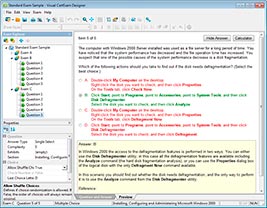
HOW TO OPEN VCEX AND EXAM FILES
Use ProfExam Simulator to open VCEX and EXAM files
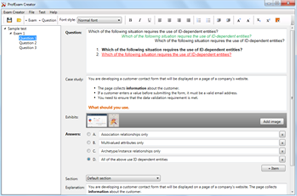
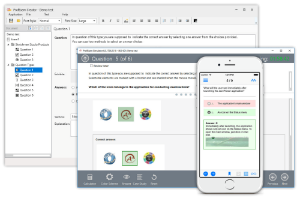
ProfExam at a 20% markdown
You have the opportunity to purchase ProfExam at a 20% reduced price
Get Now!